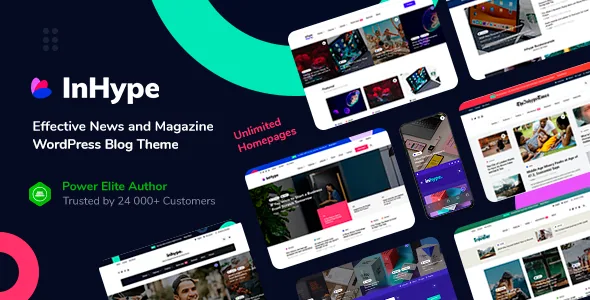
Post groups are the real organising idea
Most magazine themes sell a homepage builder and leave the editorial sorting to categories and dates. InHype's vendor list adds a step that changes how you work: you assign posts to different groups, then show each group in a different theme block on the homepage.
The consequence is that a homepage becomes a set of deliberate choices rather than one grid applying ordering rules everywhere. A culture row, a reviews row and a weekend reading row can each point at their own group, and the assignment happens once per post instead of every time you reshuffle the front page. The vendor applies the same logic on single posts, where a "Worth Reading" block takes specially assigned posts, alongside a standard Related Posts feature.
If you curate a front page by hand, that is the mechanism worth testing first. If your homepage should simply mirror the latest posts, the grouping does nothing for you.
The homepage is a block stack you can reuse elsewhere
The vendor describes its own drag-and-drop homepage builder running inside the WordPress Customizer with live preview, stocked with 38 homepage blocks: post blocks, sliders, content blocks, Instagram, subscribe, category and WooCommerce blocks among them.
Two statements in that list matter more than the count. The same block can be used many times on the homepage with different settings and at any position, and homepage blocks can be placed on other pages or posts through shortcodes. So a posts grid tuned for the front page can also close out a category landing page with a different configuration, without building it twice.
One caution on the builder: it arranges the front page, not the body of an article. The marketplace attribute marks Gutenberg Optimized as Yes and the vendor says enhanced Gutenberg styles are included, so block-editor work on individual posts and the Customizer block stack are two separate surfaces. The description reaches for the block editor in a sentence that still says "for WordPress 6.x", which reads as older copy left inside a long feature list.
Layout counts an editor actually picks from
The theme exposes 11 blog listing layouts and more than 20 single post page header variations. Site headers are described as unlimited variations, a combinations claim rather than a number you can check.
Header controls are listed in more detail than the headline counts: three menu positions across top, header and footer, each switchable off; dark and light styles for both the top and main menus; sticky and transparent options; and a featured posts slider that can sit in the header area. Ten predefined colour skins ship, with the vendor stating you can build your own beyond those.
Pagination is described as advanced and appears twice, as Ajax load-more for homepage blocks and again for blog listings, so readers pull more posts in without a page refresh. Treat that as a presentation choice with trade-offs for how crawlers and returning readers reach older articles, not as a default improvement.
Banners, ratings and the reading details
The vendor bundles monetisation into the theme: a built-in advertising banner management system, plus a "Top line" feature that carries a slim strip above the header content. The concrete part is that banner placement is managed from the theme rather than pasted into widget areas or post bodies, which suits direct sponsorships and house ads. If an ad network injects its own placements, this is simply a system you leave empty.
Two smaller features shape how a story reads. A post review and rating feature adds scored reviews to the theme's content model, and a reading progress bar on single posts gives readers a position indicator down the page. Both are listed as theme features rather than plugin add-ons, which keeps the reading page consistent without extra installation.
Contributor accounts and social sign-in
The vendor lists multi-author support, user registration and login, social sign-up and sign-in integration, and an option that lets registered users add posts. Read together, those describe an open contribution setup — a magazine taking outside writers, or a community blog — rather than a single-byline site.
That combination has administrative weight the feature list does not discuss. Letting registered users publish means deciding roles, moderation and what a new account can do before the switch is on. The theme supplies the sign-in flow and the author structure; the editorial policy is yours.
Beyond that, the list includes a fixed social share block on single posts, social follow integration, MailChimp newsletter subscribe, Instagram feed widgets and galleries, WPML support, and Google AMP support.
The declared WordPress range and the older compatibility sentence disagree
As observed on the marketplace listing on 4 November 2026, the software version attribute runs from WordPress 5.0.x through 7.0.x, and the compatible-with attribute names WooCommerce 6.x through 10.x plus WPML. The compatibility paragraph inside the vendor's description still says WordPress 5.x–6.x.
Those statements disagree at the top of the range. The attribute is the more specific and more recently maintained of the two, but neither records testing against your plugins, PHP build or host. If you run a recent WordPress release, that is the point to verify rather than assume.
Marketplace metadata for the theme records version 1.5.3 and lists its files as PHP files only; the marketplace author is dedalx while the theme's own metadata names MagniumThemes as author. Everything here describes what the listing says the theme does — not the theme running on a live install.
Questions & answers
Does changing the InHype homepage layout require CSS or HTML?
The vendor says no CSS or HTML knowledge is needed to use the included options, and the builder is drag and drop inside the Customizer. Styling beyond those options is a separate job.
How does post grouping differ from using categories?
The vendor describes assigning posts to groups and then choosing which group each homepage block displays. Categories organise the whole site; groups give you a second, homepage-specific way to place stories in specific blocks.
Which WordPress versions does the listing declare?
The software version attribute observed on 4 November 2026 lists WordPress 5.0.x through 7.0.x, while the older compatibility sentence in the description mentions 5.x–6.x. The attribute is the more specific figure, but it is still a declaration rather than a test record.


