Five different banners for the same homepage slot
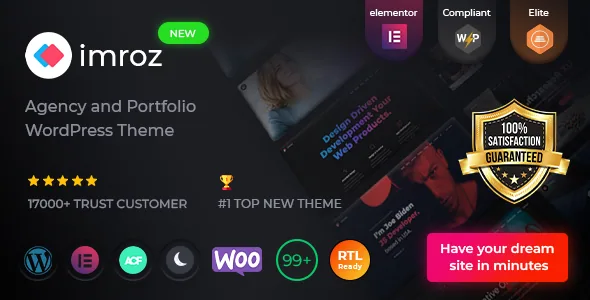
The feature that separates Imroz from a generic Elementor creative theme appears in the middle of its custom element list: Banner for Agency, Banner For Designer, Banner For Main Demo, Banner For Personal Portfolio, and Banner Video. Five widgets, one job — the top of a homepage.
That is a statement about how the vendor expects the theme to be used. An agency site, a solo designer site and a personal portfolio need different openings, and Rainbow-Themes ships a drag-in element for each instead of leaving you to build one from a heading, an image and a button.
The banner names cluster into recognisable site types, so the choice is a positioning decision before it is a layout decision. If your homepage should read as a studio with clients, the agency banner is the starting point. If it should read as one person's work, the personal portfolio banner is. The video variant is the one that pushes motion into the very first screen.
Everything else in the list is ordinary but named: Portfolio, Portfolio Minimal, Portfolio Meta, Portfolio Share, Team, Testimonial, Services, Services Left Title, Pricing Table, Progress Bar, Counterup, Gallery, Tabs, Accordion, Brand, Blog/News, Contact Form, Video Popup, Slider Main, Section Title, List Style, Button, and three About variants — plain, with experience, and with tabs. The marketplace description calls this inventory "custom Elementor elements" and the main feature list summarises it as "+30 custom widgets by imroz."
Because the same widgets are shared across demos, a section you like on one homepage can be rebuilt on another without a second visual language arriving with it. The layouts become menu choices inside Elementor rather than hand-assembled rows.
Four portfolio elements and one confirmed filtering behaviour
Portfolio is treated as four problems rather than one. The list splits it into Portfolio, Portfolio Minimal, Portfolio Meta and Portfolio Share, which maps onto the stages of a project page: the grid or listing, a reduced-display version, the metadata block for a single project, and the sharing controls that sit beside it.
That matters most if you plan to show client work with annotations — a client name, a date, a role — since Portfolio Meta plus Advanced Custom Fields PRO is the documented path for attaching and displaying those fields. The vendor's description of ACF PRO is about adding fields to WordPress edit screens on demand, and the meta widget is the matching front-end element.
Filtering is the one portfolio behaviour the changelog states plainly. Version 1.4.0, dated 17 November 2022, lists "Filtering options for portfolio" alongside the Business Consulting and Professional Services demos. So category or tag filtering of portfolio items belongs to the theme's history rather than being inferred from the word "portfolio" in a feature list.
What the supplied material does not describe is how filtering is configured per demo, whether filters are per-page or site-wide, or what a visitor sees after navigating away from a filtered view. If browsing work by category is central to the site, that behaviour needs checking rather than assuming.
One-page and multi-page are alternatives you can actually mix
Several demos carry a "Landing" label — Creative Agency Landing, Personal Portfolio Landing — and the feature list separately says the theme is one-page and multipage ready. The vendor's pre-buy FAQ answers the multipage question directly: no extra settings are required.
The useful consequence is that a long scrolling pitch page with a sticky menu is a supported presentation, and it does not lock you into that shape for the whole site. The sticky menu on scroll is a listed feature, which is what makes the single-page format navigable in the first place.
Mixing demos is a documented possibility too. The vendor's pre-buy FAQ says you can install any demo and then import another demo's homepage content, which is what you would do if you like one demo's visual tone and another's section order. What the vendor does not describe is how cleanly two demos merge. Demo imports in this theme carry content, customizer settings and Redux option files together, so expect to reconcile sections rather than receive a finished hybrid.
Knowing whether a change belongs to Elementor, Redux or ACF
Three editing surfaces are documented, and picking the wrong one wastes time.
Elementor owns the page. The vendor's FAQ on layout changes says you can add, edit, duplicate or remove any section or element because the builder is drag and drop. The custom widgets live here, so replacing a Section Title or swapping an agency banner for a portfolio banner is an Elementor operation.
Redux Framework owns the site-wide settings. The feature list calls it "Powerfull Theme Options – Redux Framework," which covers colours, typography and the dark styling the description leans on — plus a separate colour-changing option and unlimited Google Fonts. Global colour and type decisions belong here; individual section styling belongs to Elementor.
The Imroz Core plugin owns the theme's custom functionality, in the vendor's own wording: all custom functionality is handled by that plugin. Practically, the widgets and the post types they rely on are not a portable layer — Elementor content built from theme-specific widgets should be treated as tied to Imroz.
Advanced Custom Fields PRO is listed among used plugins with the vendor describing it as a field builder for WordPress edit screens. On a portfolio site, that is the layer that holds structured project details away from the page layout, so the same information can be displayed by different portfolio widgets.
Motion is optional, but it is the theme's visual signature
Imroz is explicit that its presentation layer is animated: Advanced Particles, parallax and video backgrounds, carousel elements, and a dark styling direction the description frames as "Dark Mode Style." Two demos exist mainly to show this off — Home Particles and Home Parallax.
That frame is also the one to plan deliberately, because it is the part of the theme most likely to behave differently on a mid-range phone than on the machine you build on. The vendor markets "High Speed Performance," a claim about the theme's build rather than a measurement of your homepage carrying a particle background, a video banner and a carousel at once.
The element set makes the decision granular. Because Video Popup, Slider Main, Gallery and the Video banner are separate widgets, motion can sit where you want it and nowhere else — a moving hero with still interior pages is a normal outcome rather than a compromise. Judge the particle demo on a phone before committing to it as your front page.
Declared compatibility, and one version number that does not line up
The marketplace compatibility attribute names Elementor and Elementor Pro, WooCommerce 5.x.x and 6.x.x, WPML, and Bootstrap 4.x and 5.x, with Underscores as the parent framework. Widget-ready and Gutenberg Optimized are both marked Yes, alongside a declared WordPress range running from 5.0.x to 6.4.x.
Gutenberg Optimized being marked Yes means the block editor remains usable with the theme. It says nothing about the demos, which are Elementor compositions. The same caution applies to Bootstrap appearing in the list: it describes what the theme builds on, not a dependency you configure.
The version record needs care. As observed on the marketplace listing on 4 November 2026, the latest marketplace version is 1.6.3, while the vendor's changelog includes a 1.6.4 entry dated 17 July 2026 covering a WordPress 7.0.1 test, WooCommerce template updates, an ACF PRO update and PHP 8.3 fixes. Those labels do not agree, so take the version from the copy you actually obtain rather than any single document.
The ThemeForest file list names PHP, CSS, SCSS and JavaScript files. SCSS shipping beside compiled CSS means stylesheets can be edited at source instead of appended to. None of this is a record of the theme running against your plugin stack, PHP build or host — the compatibility list is a vendor declaration, not a test result.
Questions & answers
Do the Imroz widgets survive a theme switch?
Treat them as tied to Imroz. The vendor states that all theme custom functionality is handled by the Imroz Core plugin, and the custom widgets are part of that layer, so Elementor layouts built from them are not portable to an unrelated theme.
Is Imroz built for the block editor or for Elementor?
The designed pages are Elementor compositions built from the theme's own widgets. Gutenberg Optimized is marked Yes in the marketplace attributes, which indicates the block editor stays usable with the theme rather than that the demos are block-built.
Does Imroz support right-to-left languages?
Yes, according to the vendor's pre-buy FAQ: full RTL support is included and applies after changing the language under Settings > General. A .pot file is also provided for translation.