The shop archive carries the buying decision
ThemeZaa's feature list for Hongo spends its first ecommerce entries on the product listing rather than the single product page, and four of them belong together.
A filter system covers category, price and product attributes. Product quick view shows summary information in a popup from the listing. A product image gallery displays multiple images inside archive pages, so someone comparing colourways can page through shots without opening a detail page. Product deals add a sale or offer countdown, and the vendor places it on both the archive and the product detail page.
Taken as a group, these shift when a shopper decides. Where the deciding variable is an attribute the filters expose, the listing can carry most of the comparison and quick view can close it. That describes how the vendor arranged the features; it is not a measured conversion result.
A fifth entry sits outside the grid but matters more on a shop than on a brochure site: content-rich mega menus built with the theme's section builder. A deep category tree is usually the difference between someone finding a department and leaving.
The wishlist and product comparison entries in the same list belong to this archive layer too, since a shopper pins an item from the grid instead of navigating away to remember it.
Ten listing styles, and a separate layer for product pages
The vendor says Hongo ships ten styles for listing a product collection, naming classic, minimalist, metro, modern, clean and masonry among them. These are catalogue-wide arrangements: you choose the one that suits the store, and categories inherit it unless you build otherwise.
Product page styles are described as a different layer. The vendor says these let you add product images and other elements to recreate a layout for an individual product or a collection. Keep the two apart when you plan: the listing style sets the rhythm of browsing, while product page work decides what a single item looks like once someone commits to it.
How far a per-product override actually reaches is not spelled out in the feature copy. If mixing product layouts across a range is central to your plan, that is the part to try with real products.
Headers and footers are WPBakery shortcodes, not a settings form
Hongo's header and footer builder is described as built into the theme, so no additional plugin is needed for it, and the mechanism is stated plainly: you design both with custom shortcodes inside WPBakery Page Builder.
That settles who does the work. A header becomes a builder template assembled from the same elements used elsewhere on the site, which means a header change is a template edit. If you need several header variations, each one is built and assigned rather than toggled through one form.
Theme colours and typography do have a settings route. The vendor lists WordPress Customizer options for layout, header, footer, colours and typography, with live preview of changes. The practical split is colour and type in the Customizer, structural header work in the builder.
Eleven store demos with page-level import
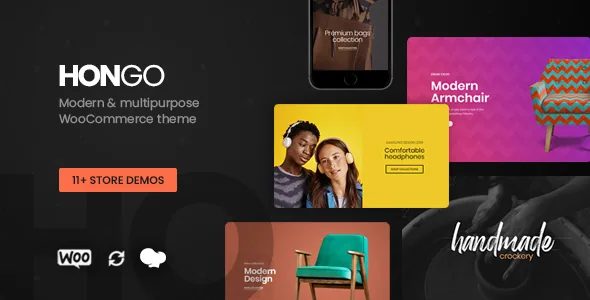
The vendor counts 11-plus store demos, 200-plus elements and a template library of more than 250. Demos are also the quickest way to judge the ten listing styles, because a style name tells you little until products, filters and prices sit inside it.
One-click demo import is the stated route, and the useful detail is granularity: the vendor says you can import the full demo or pull in a particular page, post, portfolio item or product. Partial import is what makes a demo library workable on a site that already has content, since you can take a shop listing without the homepage that came with it.
The vendor's mention of content page templates points at a related use: lifting a ready-made section for a store page rather than designing it from scratch.
WPBakery is the documented workflow; blocks are declared supported
The vendor's walkthroughs assume WPBakery Page Builder throughout, from drag-and-drop front-end layout editing to the header and footer shortcodes. The marketplace attributes, observed on 4 November 2026, list WPBakery Page Builder as compatible and set Gutenberg Optimized to Yes. The vendor's feature list also carries a "Gutenberg and WordPress 5.x ready" entry about block compatibility.
Those are two different kinds of statement. Block compatibility says blocks render; it does not make the block editor the way Hongo's demo layouts are built. If your team works in the block editor by preference, expect to render blocks while the designed page structure still comes from the builder.
Typography has its own options. The vendor lists 910-plus Google fonts built in, plus support for Adobe Typekit and your own font files, which helps when a brand's typeface is already fixed.
Plugin pairings and the versions the listing declares
Observed on 4 November 2026, the marketplace attributes record WooCommerce compatibility from 6.x through 10.x alongside WPML, WPBakery Page Builder and Bootstrap 5.x, with Firefox, Safari, Chrome and Edge listed as browsers and the package described as PHP, CSS and JS files. The vendor's release notes for its current version go further, naming Dokan Multivendor Marketplace, Slider Revolution, and specific WordPress, WooCommerce, WPBakery and PHP versions.
Two of those need separating from the rest. WPML support reaches product titles, attributes and category names, which is where a translated shop usually breaks first. Dokan is named as a compatible plugin pairing; vendor registration, commissions and payouts come from Dokan itself, not from a dashboard the theme provides.
WPBakery and Slider Revolution appear in the vendor's package wording as included premium plugins. Treat that as a claim about the marketplace package, and check the plugin version that actually arrives in whatever copy you run.
All of this is declaration rather than testing on your stack. The WordPress and WooCommerce ranges are wide, so the pair you will run is the one worth verifying.
Questions & answers
Can Hongo be used without WPBakery Page Builder?
The theme's demo layouts, header and footer builder and documented editing workflow all run through WPBakery Page Builder, and the marketplace attributes list it as compatible. Gutenberg Optimized is set to Yes and the vendor claims block compatibility, but the designed layouts come from the builder.
How do product deals differ from a normal sale price?
WooCommerce handles the discounted price; the theme's product deals entry adds a sale or offer countdown timer, and the vendor says it appears on the product archive as well as the detail page. The archive placement is the less common half and is why it belongs with the filters and quick view.
Does the theme provide a vendor dashboard for a multivendor shop?
No such dashboard is described. The vendor names Dokan Multivendor Marketplace as compatible, which is a plugin pairing; vendor onboarding, commissions and payouts are configured in Dokan.
Do the demos include product images I can keep?
The vendor does not state that demo imagery is licensed for reuse. Import gives you layout and spacing; product photography for a live store still needs to be yours or separately licensed.


