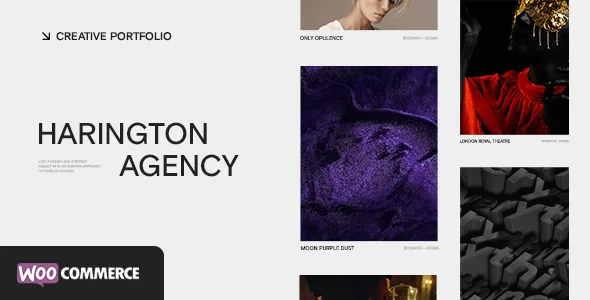
Four slider types that do different jobs
ClaPat's description puts the showcase first: a creative showcase slider, a carousel, a portfolio parallax grid and Ajax page load and transition behaviour. The feature list then breaks the showcase into named slider types — a fullscreen WebGL slider, a carousel slider, parallax panels, reverse columns and archive lists.
Those are not interchangeable skins. A fullscreen WebGL slider covers the viewport with an animated hero, which suits a photographer or studio whose landing page is the work itself. A carousel slider moves a row of items, useful when the page needs to keep other content visible beneath the work. Parallax panels build a scrolling sequence of full-bleed frames, which reads more like an editorial spread than a slideshow. Reverse columns and archive lists are layout variants rather than sliders, and the archive list is the one aimed at showing a body of work as a list rather than a grid.
Which one a project wants depends on how much of the first screen you are willing to give to the portfolio. A WebGL hero and a panel sequence both consume the scroll, so pages underneath them need to earn their place.
The portfolio grid is the browsing layer
Between the slider and the single project page sits a portfolio grid, described as a creative portfolio grid and sold alongside a parallax grid variant. Grids are where portfolio sites usually fail as the catalogue grows, so the changelog is more informative than the feature line.
Version 1.2, dated 9 January 2023, records a video option for the parallax panels page template and an improvement to the portfolio grid layout when items are filtered. Version 2.0, October 2023, records responsive display of the portfolio flex grid on rows. Filtered grid behaviour and row handling at narrow widths are the two things a portfolio with a few dozen projects exposes first, and both appear as revisions rather than as launch features.
That tells you the grid is actively maintained. It does not tell you how a grid of your size behaves, particularly if you expect heavy filtering across many categories.
Options panel: showcase, portfolio, styling, typography
The theme is configured from an options panel rather than by editing templates. The vendor lists its groups as general settings, header, footer, showcase, portfolio, blog, styling, typography, contact map, error page, and import/export.
Read that list as the map of what changes without code. Showcase and portfolio options govern the slider and grid behaviour described above. Styling and typography cover the colour scheme and type, and the description separately names dark and light colour options for background and text. Import/export is the practical seam between environments: settings move out of the panel as a file, which is useful when a live site should not be re-configured by hand.
The absence of widget readiness in the marketplace attributes is worth noting for planning: Widget Ready is marked No, so build sidebars and footer areas from the theme's own sections and shortcodes rather than assuming a widget stack.
Ajax transitions are a constraint as well as an effect
Ajax page transitions are the feature most likely to surprise you later, because they sit in front of every other page. The description presents them as smooth page loads and transitions; the changelog shows the maintenance that layer requires.
Version 1.3, February 2023, fixed a slider carousel click when Ajax transitions are disabled and a parallax panel issue on iOS. Version 2.2, February 2026, records loading all Gutenberg styles when Ajax is enabled. That last entry is the useful one for anyone planning to write posts in the block editor: with transitions on, block styles needed explicit handling, so a block-heavy blog is a place to test rather than assume.
The marketplace marks Gutenberg Optimized as Yes, which describes the vendor's declared support for the block editor. It does not guarantee every block looks right on a page that arrives through an Ajax transition.
Demo import, Elementor and the rest of the package
A one-click live demo import is listed, and the package is described as including demo XML files. The vendor also states plainly that the demo images are licensed for demonstration only and are not part of the download. A first run therefore gives you structure, not photography — for a portfolio theme, that means the layouts will look emptier than the preview until your own images are in place.
On integration, the marketplace attributes observed on 4 November 2026 declare compatibility with Elementor and with WooCommerce 5.x, 6.x and 7.x, alongside WordPress 6.5.x through 7.0.x and Firefox, Safari, Chrome and Edge. Elementor also appears in the changelog: version 2.1 added options for the Elementor container, and the required-plugins and page-builder styles changed in the same release. WooCommerce support itself arrived in version 2.0, so the shop layer is younger than the portfolio features.
WPML compatibility, translation-ready .po/.mo files and child theme readiness are listed, and the included files are recorded as PHP, CSS and JS. None of these were exercised in writing this article: they are vendor declarations and metadata, not a test of a live install.
Where the evidence stops
Nothing here measures load time, so the vendor's fast-loading and performance claims remain claims. The WebGL slider is the most demanding piece to judge in practice, and it should be assessed on the hardware and browsers your visitors actually use.
The changelog also shows that the theme's own plugins and bundles changed repeatedly across 2023 releases, which means plugin versions shipped with a given archive matter as much as the theme version. If you need a specific Elementor, WooCommerce or WordPress release confirmed against your stack, confirm it against the archive you install rather than the version numbers on this page.
Questions & answers
Can I use the block editor if Harington's transitions are enabled?
The marketplace marks Gutenberg Optimized as Yes, and version 2.2 of the theme added loading all Gutenberg styles when Ajax is enabled. That changelog entry indicates the vendor handled block styling alongside transitions, but it does not establish that every block renders correctly on a transition-loaded page. Test your post layouts with transitions switched on before committing.
Does the demo import include the sample images?
No. ClaPat states that the demo images are used only for demonstration and are not included in the package. The import supplies layouts and content structure, and you provide the photography or artwork.
Is the WooCommerce shop as mature as the portfolio features?
The record suggests not. WooCommerce support was added in version 2.0, October 2023, while the showcase sliders, grid and transitions date from the initial release. Compatible versions are declared as 5.x through 7.x, so a store on a newer WooCommerce release should be verified rather than assumed.


