Events carry this theme, not the palette
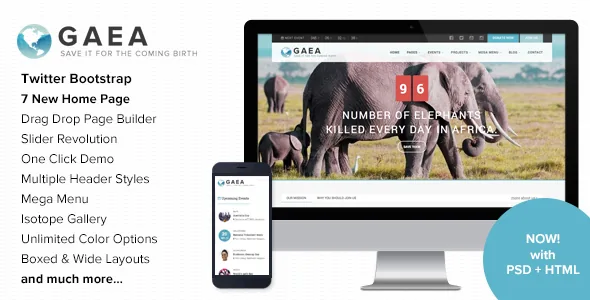
Charity and environmental themes often differ mainly in colour and a donations block. Gaea's seller describes a narrower, more operational feature set: a full-width calendar for events, a dedicated events listing page, and an upcoming-events countdown timer. Multiple blog, gallery and events layouts are listed alongside them.
Those three pieces answer three different visitor questions. The calendar answers what is on this month. The listing page answers what is coming next without a news post in between. The countdown timer pushes one event hard on whatever page you place it. If the organisation runs planting days, clean-ups, workshops or fundraising walks, that is the machinery you will actually use; if the site mainly publishes reports and takes donations, it is decoration.
Everything below is drawn from the vendor's marketplace description and changelog. Those are claims attached to the listing, not results of running the theme.
How the event pieces fit together
The release history is unusually specific about events, which makes the workflow easier to picture than the feature list alone.
Events are a custom post type in their own right, with categories that can carry their own colours — the changelog records fixes so that category colour also applies to recurring events. Version 2.2 added page-builder widgets for future events, past events and an events list, so event feeds can sit inside a page layout instead of only on the calendar template. Version 2.9.2 added a save-event option on single event pages. An Event Payment plugin and an Event Registration plugin both appear in the changelog across several releases, updated on their own schedule, and version 3.8 records a security fix in the event registration functionality.
That last entry is the useful maintenance signal. Registration is a live part of the product the developer still touches — and it has needed a security patch, so keep the theme and its companion plugins current rather than freezing the site at whatever ships.
A lot of the changelog entries are time bugs: countdown time incorrect, calendar showing the wrong time, events missing a date when no featured image is attached, an upcoming-event widget showing the wrong time when an event starts at 23:59. They were fixed, most of them years ago, but they tell you the theme handles recurring events, timezones and all-day formatting itself. Test those cases with your own schedule — a recurring evening event, an event near midnight, a multi-day event — before you build a public calendar on it.
Galleries for site documentation and fieldwork
The seller lists six types of gallery pages, multiple gallery layouts, a responsive sorting gallery and Isotope galleries. Separate, differently styled gallery page types let a restoration archive, a species gallery and an event photo page each look like their own section without custom code.
Isotope is a JavaScript filtering layout library, and pairing it with a sorting gallery is the combination that matters for growing photo sets: visitors narrow the grid by whatever taxonomy you attach — project, site, season — instead of scrolling a fixed order. Page-builder gallery widgets and a lightbox are also referenced in the changelog, including a fix for gallery lightbox image sizing.
The demo photography is not part of the package. The description states plainly that images from the live preview are not included and credits stock libraries instead, so budget for your own field images. Layouts also come in boxed and wide variants, which is the switch that decides whether a landscape shot runs full width or sits inside a text column.
Gaea Core and the plugins that travel with the theme
Version 2.6 split theme functionality into a Gaea Core plugin, described as a way to add theme functionality outside the theme itself. The changelog then bumps that plugin at nearly every release, often in the same entry as Revolution Slider.
The practical consequence: this is not a single self-contained folder. Some of what the demo shows depends on a companion plugin, and drifting versions between theme and plugin is a realistic failure mode. Update them as a pair and stage the change first.
Slider Revolution is advertised in the feature list and updated repeatedly in the changelog. Bundled plugin copies normally sit behind the standalone releases, so check what version is actually inside your installation rather than assuming the newest build. The listing also mentions a recommended GDPR Framework plugin (added in 2.5.1) and WPML among its compatible-with items, which matters if the site needs translated event and project content.
Editing pages without the block editor as the reference point
The marketplace attribute for Gutenberg optimization is not present in the listing data reviewed here, so it tells you nothing either way about how the theme is edited. The changelog does: page composition runs through the theme's own builder widgets, with counters, carousels, tabs, staff, post lists, projects, a featured event, past and future events, and partner logos all appearing as widgets. A home page builder template is maintained as recently as version 3.6.
The design layer sits in Theme Options rather than in a stylesheet you rewrite. The seller lists 12 prebuilt colour schemes plus unlimited colour options, Google Fonts support and Font Awesome icons, and a 2020 fix addressed schemes loading their stylesheet even when custom colours were in use — so the custom-colour path is the one the developer maintains.
That combination suits an organisation whose brand predates the website: start from a scheme, then adjust individual colours to match a logo. It does not read like a block-first theme, so expect to assemble layouts from the theme's widgets rather than by stacking core blocks.
Shop, donations and other declared integrations
Commerce here is compatibility, not a built-in store. The listing declares WooCommerce from 6.x.x through 10.x.x, and version 2.4 added product gallery and lightbox support plus a header cart module with live updates.
For donations, the only evidence is a changelog line from version 2.2: styling compatibility for the Give plugin. That means the theme's design is declared to accommodate Give's output — nothing more. Give is installed and configured separately, and Gaea does not ship a fundraising system. Read the WooCommerce and Give entries as layering statements: a small merchandise or event-fee shop through WooCommerce, donations through Give, with the theme providing the surrounding layout.
The listing also names WPML, a contact form, Google Maps (with an API key field added in version 2.0), Instagram and Flickr feed widgets, and a Twitter feeds widget. Feed widgets tied to social APIs are the most perishable item on that list, so check the ones you intend to use before designing around them.
What the listing records, and what it does not prove
The marketplace attributes record WordPress software versions from 5.0.x through 7.0.x, browsers from IE11 through Chrome, Safari, Firefox and Opera, widget-ready sidebars, a responsive layout, high-resolution assets, and a file bundle listing layered PSD, PHP, HTML, CSS and JS files. The layered PSD is worth something if a designer will adapt the demo's visual direction rather than rebuild it.
Version 3.1 records PHP 8.x compatibility, which is the release note to act on if your host no longer offers PHP 7. Version 3.8, dated 18 February 2026, records compatibility with WordPress 6.9+.
All of these are declarations attached to the product. A long WordPress range does not establish that your specific combination of theme, Gaea Core, Slider Revolution and PHP build runs cleanly, and the changelog is the record of what each release actually changed. The marketplace version noted when this listing was observed is not a statement about any particular copy in circulation.
Questions & answers
Can visitors register for an event through Gaea?
The changelog references an Event Registration plugin updated alongside the theme as recently as version 3.8, which fixed a security issue in that functionality, and an Event Payment plugin appears in earlier entries. That indicates a registration path exists within the theme's own event setup rather than through a general events plugin. The vendor's description does not spell out the form fields, capacity handling or ticket types, so confirm those in the demo before you plan sign-ups around it.
Do I need Give or WooCommerce to use the theme?
No. Both are declared compatibility, not dependencies. Give is mentioned as a styling-compatibility update in version 2.2, and WooCommerce 6.x.x through 10.x.x appears in the compatible-with attributes with product gallery and lightbox support added in version 2.4. Each plugin is installed and configured by you; the theme supplies layout around it.
Will Gaea's event times and countdown timers match my schedule?
The changelog shows a history of time-related fixes — countdown time, calendar time, upcoming-event widgets, midnight start times and recurring event labels — most recently in 2020 and 2021. Those were resolved, but the pattern is a good reason to test a recurring evening event, an event close to midnight and a multi-day event in a staging copy before publishing the calendar.


