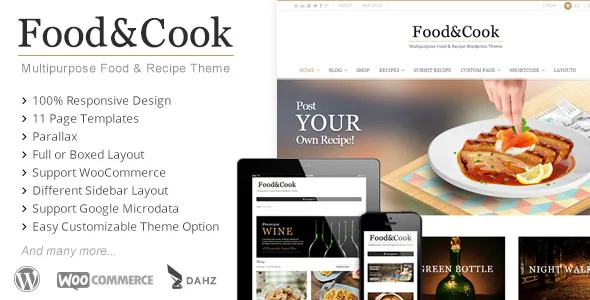
A recipe database your readers help fill
Most food themes treat recipes as posts you write. Food & Cook's vendor description leans on a different arrangement: the theme lets readers "submit their dish and build their recipe database together," and the feature list repeats it as "Submit Your Own Recipe." The template inventory backs this up with a dedicated Submit Recipe page, sitting next to the recipe grid, recipe listing and single recipe pages.
That turns a design choice into an editorial process. If you open submissions, someone has to decide what gets published, who owns the recipe text, and how a reader's entry is credited. The vendor does not describe a moderation queue, submission fields or an approval status, so treat the page template as the front door rather than a complete editorial system. Whether you accept everything, review each entry, or use the page only for occasional guest contributions is your call to make before launch.
The same page set also includes an Author page, which fits a site where multiple cooks publish under their own names rather than a single anonymous blog.
How recipes appear: grid, list and three layouts
The vendor lists three recipe layouts and a choice between List or Grid View for recipe listings. Those two controls do different jobs. The layout sets how an individual recipe screen is composed; the list/grid choice changes how a run of recipes reads as you scan it. A grid suits a visual index where photography sells the dish, while a list view gives each entry more room for a title and description in sequence.
Recipe and product sliders are also part of the feature list, in two versions for the recipe slider. Sliders are only worth planning if you have a handful of recipes you genuinely want to push — a seasonal feature, a series, a cookbook tie-in — otherwise a static grid does the same work with less maintenance.
The theme's front-end recipe pages sit within a build that runs on WPBakery Page Builder, which the marketplace compatibility attributes list. The vendor's own shortcode library, described as more than 50 shortcodes, is how the non-page-builder parts of the demo are assembled.
Layout controls that change the reading experience
Beyond recipes, the vendor names a set of structural choices: Boxed or Wide Layout, six home layouts, and six sidebar arrangements. The sidebar list is the most concrete of the three: 2 columns with the sidebar left or right, and 3 columns with the sidebar left, middle or right.
That last set matters more for a food blog than it first appears. A three-column middle-sidebar page reads very differently from a wide two-column one, and it is the kind of decision that is hard to retrofit once a hundred posts have been formatted around a narrow content column. The boxed/wide switch does something similar at the page level.
Six home layouts give you several ready-made compositions to start from rather than a blank canvas. The vendor provides a live demo site where those variants are shown, which is the practical way to judge whether the layout you like survives contact with your own imagery and text lengths.
Page templates beyond the blog
The custom page template list is broader than recipes and posts. It names an Elegant Blog Page, a Timeline Page, an Archive Page, a Contact Page, an Author Page and a 404 Page, plus the recipe grid, recipe listing, submit recipe and home page templates.
The Timeline Page is the odd one out and the most situational. It presents a site's entries in chronological sequence, which works for a cooking journal or a year-in-review, but makes little sense for a straightforward recipe catalogue. The 404 page being a named template rather than a default is a small nicety: the vendor describes being able to edit the layout system down to that page.
WooCommerce support is declared too, with the vendor listing standard, variable, grouped, external and virtual product types. That is a description of product-type coverage, not of how shop templates look; the demo's shop pages are the place to check the styling.
Version and compatibility wording, read carefully
The marketplace listing records the theme as compatible with WooCommerce 7.x.x and WPBakery Page Builder, and lists WordPress 6.2.x, 6.1.x, 6.0.x, 5.9.x and 5.8.x under software version. Those are declarations from the vendor and marketplace, not results of anyone running the theme against your install. The vendor update date attached to the listing is 29 September 2024, which is the useful reference point for how current that range is.
Gutenberg Optimized is recorded as No. That means block-editor optimisation is not claimed; it does not mean the block editor is unavailable or unusable. Similarly, High Resolution is recorded as No, which concerns the image assets in the package rather than the theme's ability to display high-resolution images.
The declared ThemeForest file list is PHP Files, CSS Files and PSD. The PSD inclusion is worth noting if a designer on your side needs to adapt layered artwork rather than edit stylesheets.
The demo image caveat
The vendor's own notice states that images shown in the demo pages are copyrighted and come with a watermark when imported. Plan on a photography budget or your own licensed images; the demo look is not something you can carry over untouched.
That caveat is also the honest way to read the demo: use it to compare the six home layouts and the recipe presentations, not as a source of finished assets.
Questions & answers
Can readers really add recipes themselves?
The vendor lists a Submit Your Own Recipe feature and a Submit Recipe page template, so the front end for reader submissions is part of the theme. What the description does not cover is the back end: no moderation queue, custom field set or approval workflow is described. Assume you will need to manage submitted entries yourself or extend the process.
Does Food & Cook require WPBakery Page Builder?
The marketplace compatibility attributes list WPBakery Page Builder, and the vendor's shortcode library is described as covering the rest of the demo construction. The listing does not state whether the builder is bundled or must be licensed separately, so confirm that before budgeting for the build.
What WordPress versions are listed?
The listing names WordPress 5.8.x through 6.2.x, with the vendor's last update recorded on 29 September 2024. That is a stated range rather than a tested guarantee, and a site on a newer WordPress release should be checked against the demo before committing.


