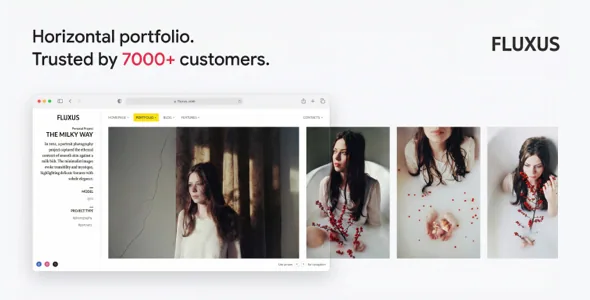
A portfolio theme that replaced a page template with a slider
Version 1.5 retired Fluxus's Page with Background template. The vendor's stated reason was that a Full Page Slider built from a single slide produces the same visual result while offering more control. So in Fluxus a background-image page is a slider with one slide, not a separate template.
The replacement slider takes YouTube, Vimeo and self-hosted video. Its admin screen sets the content box width, positions the content relative to the screen corner nearest to it, and offers WYSIWYG formatting for text layered over the media. Version 1.9 fixed Vimeo playback inside the slider. Treat that as the starting point for a splash page or project intro: the media and the overlay copy are configured in one place instead of being split between a template and a global setting.
What the 3840px ceiling and srcset mean for your photos
Version 1.9.3 added srcset delivery to the horizontal portfolio, so retina and other high-density screens receive sharper files, and introduced a 3840px image size as the upper limit for portfolio images, replacing a previous 2048px cap. For a photographer whose work is judged at full size, those are the numbers that matter: the ceiling on quality, and the mechanism that picks an appropriate file per screen.
The practical consequence sits in the same entry. Images uploaded before that release need to be regenerated with the Regenerate Thumbnails plugin before the larger size exists for them. An earlier release, 1.8.2, had already cut the number of custom sizes each upload generates from 16 to 7, leaning on the default sizes in Settings > Media, so the theme's resize history is worth knowing before you bulk-upload.
The lightbox, where the photos are actually seen
Version 1.6 replaced the lightbox outright and documented its behaviour in more detail than most changelogs offer. On mobile it supports pinch, horizontal pan, vertical pan, tap and double tap, with zoom. After an image appears, a higher-resolution version loads in the background and swaps in when ready. Controls fade after eight seconds of inactivity, and the loading indicator only shows if loading passes 800ms.
The navigation is click-anywhere with an indicator, the close button moved to the top right corner, and the opening animation was smoothed. If visitors are meant to linger on individual frames, these are the details that decide whether the gallery feels considered or merely functional.
Horizontal navigation keeps generating fixes
Most portfolio themes scroll down; Fluxus asks visitors to move across, and the changelog shows what that single decision costs in maintenance. Version 1.9.2 reworked mouse-wheel scrolling on Windows so it follows the operating system's scroll speed rather than fighting it. Version 1.9.4 fixed an accidental vertical animation when a horizontal page loaded. Version 1.9 corrected horizontal portfolio rendering in Safari and changed keyboard navigation to scroll to the very end of a page instead of stopping at the last picture. The most recent entry also addresses horizontal layout rendering on some high-resolution Android tablets.
That list doubles as a shortlist of things to try with your own images. A theme that offers Grid Portfolio as well means horizontal scrolling is a design choice, not the only layout Fluxus ships, so you can compare both before committing.
Day-to-day editing: block previews, accent colour, project clicks
Version 1.8 added block editor support, and the vendor says content styling in the admin area matches the live site, so text-led pages such as an about page or a project statement can be composed without guessing at the result. The marketplace listing marks Gutenberg Optimized as yes.
Project behaviour is set in Theme Options > Portfolio. Version 1.8.3 added a choice for clicking a project image: scroll it into view, or open the lightbox if the image is already mid-screen, which is the default behaviour. Accent colour is set in the Customizer and regenerates the accent CSS. One caution is documented from earlier releases: a project type added to the secondary menu did not pick up a colour change until the accent was saved again, so re-save if a new menu item looks out of step.
Declared requirements and the file list
The listing, observed on 3 November 2026, declares WordPress compatibility from 4.9.x through 7.0.x, with the latest marketplace version recorded as 1.9.4. Compatible browsers are listed as Chrome, Firefox, Safari, Opera and Edge, and compatible-with entries name Contact Form 7, WPML and Facebook. Those are vendor declarations, not proof that every combination works on your PHP build and plugin set.
The ThemeForest file list includes Layered PSD, PHP, CSS, SCSS and JS files, the theme is built on Underscores, and documentation is marked well documented. For a studio that designs before building, the layered PSD is the inclusion that changes the workflow, since comps can be prepared against the theme's proportions rather than traced from a live demo.
Questions & answers
Can Fluxus run as an ordinary vertical-scrolling site?
The theme includes a Grid Portfolio layout alongside the horizontal one, so not every page has to move sideways. Recent release notes concentrate on horizontal behaviour, though, so test the layout you intend to use as your main gallery.
Do photos uploaded before the 4K image size need reprocessing?
Yes. Version 1.9.3 introduced a 3840px size and srcset delivery, and its notes say previously uploaded images need regenerating with the Regenerate Thumbnails plugin before they have the larger file.
Does the Full Page Slider only accept self-hosted video?
No. The vendor describes YouTube, Vimeo and self-hosted video support in the slider, with separate self-hosted playback options, including no-controls playback, inside portfolio projects.


