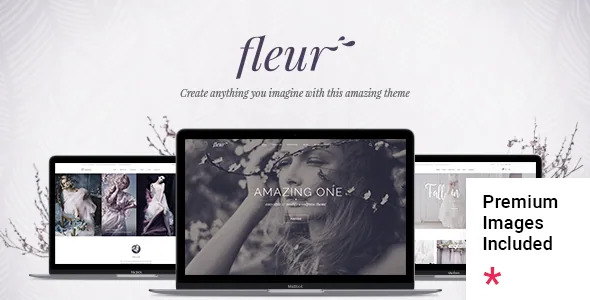
A theme for the business, not the big day
Mikado Themes describes Fleur as a theme for weddings, celebrations and wedding businesses, and the framing matters more than usual here. A planner, venue or florist needs a site that sells a service: packages with prices, a team, a gallery of past events, testimonials, and a page of the offerings that doesn't read like a blog. Couples building a single wedding site need almost none of that.
The vendor's feature list opens with the inventory: 13 homepage examples and a large collection of useful inner pages. That is the deciding fact for a wedding business, because you are not assembling one page and moving on. You are publishing a service catalogue with a portfolio attached. Everything below is a vendor or marketplace declaration observed on 4 November 2026, not a report from an install.
Where Fleur departs from the general business theme is what it does with that many pages: a header system with named types and logo variants, and a slider with its own animation vocabulary. Those two are what make a photographed site with alternating light and dark sections hold together.
Seven named headers, and a logo for each situation
Most themes give you a header and a switch for sticky. Fleur's feature list names seven header types: Standard, Standard Extended, In The Box, Minimal, Divided, Centered and Vertical. Alongside them the vendor lists separate logos for Regular, Sticky and Mobile headers, plus separate logo variants for dark and light header skin. Header skin can change from section to section, and the mobile header is styled separately.
That combination is the practical answer to a specific problem in wedding photography: a dark hero image needs a light logo, then the page turns to a cream background and the header has to switch without a redesign. Because the skin can change per section, a single page can move between the two without you maintaining duplicate pages.
There is also an optional header top area, Header Top and Header Bottom widget areas, and a mobile header you style independently of the desktop one. If your brand mark is a script wordmark that disappears at small sizes, a dedicated mobile logo is the lever you use rather than shrinking the original.
The slider and the shortcodes that carry your offers
The vendor's Mikado Fullscreen Slider handles image and video, with parallax inside the slider, image zoom animations and content entry animations. Parallax sections appear separately, with a fullscreen option, and video backgrounds work at section level. The marketplace listing also states that Slider Revolution and WPBakery Page Builder are included with the theme.
For a planner, the more useful part of the list is the shortcode set aimed squarely at this industry: pricing table, comparison pricing table, workflow, team, team slider, testimonials, cards slider, info box, product slider and various infographic elements. A comparison table is where you lay a three-tier package out so a couple can choose without emailing you. A workflow shortcode is the natural place for the steps from first enquiry to wedding day. Neither is exotic, but having them as theme elements instead of third-party blocks keeps the styling consistent with the rest of the site.
The theme also lists anchor link functionality for one-page sites, a mega menu, customizable Google Maps, and a boxed or full-width layout choice.
The social widgets the changelog has since withdrawn
One conflict is worth knowing before you judge a demo against a fresh install. The feature list still names Twitter and Instagram social widgets, a Twitter Slider shortcode and a Twitter Slider among the shortcodes. The vendor's version 2.2 changelog entry, dated 19 September 2025, says the Mikado Instagram Feed and Mikado Twitter Feed plugins were removed because of those platforms' API deprecations.
The reasonable reading is that a live-feed feature tied to the old APIs no longer ships, while the surrounding widget and shortcode names may remain in the documented list. If your plan depends on pulling an Instagram grid into the footer, treat that as something to verify on the current demo rather than assume from the feature list. Icon-based social links, which do not depend on an API, are a different matter and still appear in the widget list.
Shop, translation and the child theme
WooCommerce appears in the marketplace compatibility attributes for the 9.x and 10.x lines, and it is listed among the theme's integrations. For a wedding business that most often means a small shop for physical goods or digital stationery, with the Dropdown Shop Cart widget already listed among the sidebar and side-area widgets. The vendor's changelog records ongoing WooCommerce attention, with 10.x compatibility added in version 2.2 and 11.x support noted in the 2.3 entry.
WPML is named as compatible, a WPML config file was added in version 2.2, and the theme is described as translation ready. Contact Form 7 integration is listed for enquiries. A child theme is included, which is where custom CSS belongs if you plan to change the look beyond the admin options.
Gutenberg Optimized is marked No in the attributes. That describes where the theme was designed to be edited, in WPBakery; it does not remove the block editor from WordPress, and it says nothing about how any individual page behaves if you write it in blocks.
Declared versions, browsers and the imagery note
The marketplace attributes observed on 4 November 2026 declare support for WordPress 6.5.x through 7.0.x, with WooCommerce and WPML as above, and list Firefox, Safari, Opera, Chrome and Edge among compatible browsers. The theme metadata records Gutenberg Optimized as No, the theme as responsive and retina ready, widget ready, and the included files as PHP, CSS and JS.
On imagery, a changelog entry from version 2.0.1 in June 2021 notes that images licensed for digital use on websites made with Fleur were added. That is a vendor note about the theme's own demo assets, and it is separate from the photography you will supply for venues and events — worth reading against the licence terms rather than assuming a demo's photo library transfers to your site.
These are listing claims rather than results from an install on your server, PHP build or plugin set. Version ranges and browser lists describe what the vendor says was tested; they do not promise behaviour on a stack the vendor never saw.
Questions & answers
Can Fleur work for a single couple's wedding website instead of a business?
It can host one, but the features are aimed elsewhere: pricing and comparison tables, team pages, workflow elements and a shop are built for a planner, venue or supplier selling a service. A couple's site usually needs a story page, schedule, travel details and RSVPs, and most of Fleur's inventory would go unused.
Do I have to use WPBakery to edit pages?
The theme was designed around WPBakery, which the vendor states is included, and the marketplace marks Gutenberg Optimized as No. That flag does not disable the WordPress block editor; it indicates the theme's own page templates and elements are built for the WPBakery composer rather than for block-first authoring.
Does the Instagram feed still work?
The feature list mentions Instagram and Twitter social widgets, while the version 2.2 changelog (September 2025) says the Mikado Instagram Feed and Twitter Feed plugins were removed because of API deprecations. Check the current demo before building a layout around a live social feed.