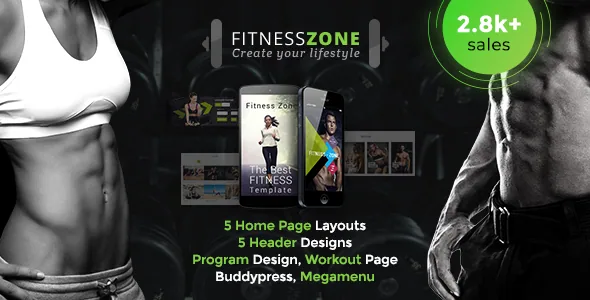
A gym theme whose schedule is content, not decoration
Plenty of gym themes stop at a muscular homepage and a pricing table. The vendor's description of Fitness Zone lists a different set of contents: "Fitness features like BMI calculator, Class timetable, fitness appointments, Training programs and fitness equipment shop pages are provided." Each of those is a working part of a fitness site, not a section you style once.
A class timetable needs someone to publish sessions with times, instructors and rooms, and to keep them current when the schedule shifts. A BMI calculator is a small interactive block that gives a visitor a reason to enter height and weight, and in a personal-training context the step after it is usually booking. Appointments and training programs imply request flows and repeating structured content. Plan who owns each of those before launch, because the theme gives you the pages and not the staffing.
The changelog backs the timetable claim at code level. Version 1.8 records a fix to the "Timetable events builder module," and version 4.5 mentions updated premium plugins "including timetable plugin." A dedicated module and a separately maintained plugin together suggest a scheduling component that has been developed rather than painted on.
Timetable or Events Calendar: you do not have to pick only one
The marketplace attributes observed on 4 November 2026 declare Events Calendar and Events Calendar Pro as compatible plugins. Separately, the vendor describes the class timetable as a feature the theme provides. Those are two different scheduling routes, and the listing does not say the timetable depends on the calendar plugin — the theme's own timetable data predates the calendar compatibility work in the changelog anyway.
For a studio the distinction is practical. Events Calendar suits one-off dates: a workshop, a charity session, a closed-day notice. A weekly class grid is a repeating structure, and the timetable module is built for that reading. Some gyms will want both, using the calendar for specials and the timetable for the standing schedule, which means visitors meet two date interfaces on one site. Decide whether that duplication is acceptable, or whether one of the two should carry everything.
The same goes for the events compatibility history: version 2.5 in 2016 fixed a BPanel interface problem after an Events Calendar update, and version 2.3 touched the Tribe events widget area. Those entries show the vendor has reacted to the plugin's changes over the years, but they are maintenance notes, not a statement that today's versions run cleanly on your stack.
Bookings live in a separate plugin, and that changes the setup
The version 4.0 changelog contains a small line with large consequences for anyone selling sessions: "Reservation removed from themes files and added as a separate plugin." So the fitness appointments on your site depend on a plugin that sits beside the theme, not inside it.
That split is normal practice and has an upside: booking logic can be updated independently of the theme. The cost is that booking functionality is not something the theme alone provides, so it needs its own activation, configuration and testing. Ask what happens to existing appointments if the theme is replaced, and confirm the reservation plugin is available and current before you plan the launch around it. The vendor's own description lists fitness appointments as a supplied feature; the changelog explains how that feature is delivered.
Training programs belong on the same planning sheet. Because the vendor treats programmes as designed content rather than a bare blog category, you will be creating a repeating structure — programme, sessions within it, and the trainer who leads it — that should match how the reservation plugin records a booking.
The trainers and workout pages hold the site's vocabulary
The feature list names a trainers page and a workout page separately, and the changelog confirms that the workout side has its own taxonomy: version 4.5 records "Workouts taxonomy page added," and version 4.1 mentions revisions enabled for all custom post types. A taxonomy means workouts are grouped content, so a visitor can move from a workout listing into a particular type and from there to the trainer who runs it.
That is the structure that keeps a gym site from becoming a brochure with a contact form. Trainer profiles carry the role and specialisation; workout entries carry programme detail; packages and pricing carry the commercial offer the vendor also lists. Five home page layouts, five header designs and twelve skins sit around those pages as presentation choices, so a studio promoting classes and a single trainer selling one-to-one sessions can start from different arrangements of the same content.
The vendor targets a wide fitness vocabulary too — yoga and HIIT, functional training, martial arts and MMA, bodybuilding, cardio coaching, diet and nutrition, sports clubs. A theme built for relabelling means the words on the trainers and workout pages are yours to rewrite, and worth budgeting time for if your offer does not match the demo's language.
Which builder your chosen demo came from
This is the part of the listing that deserves the closest reading. The vendor description refers to an inbuilt drag-and-drop page builder, and the marketplace attributes mark Gutenberg Optimized as Yes. The changelog tells a longer story: version 4.0 rebuilt the demo contents onto Visual Composer modules and told existing users to install on a fresh site rather than upload over the old theme; version 5.3 fixed an Unyson installation issue; version 5.4 in 2024 records "Replaced Unyson with WDT Demo Importer Plugin."
So the history contains at least two builder generations — Unyson earlier, Visual Composer later — plus a changed demo importer. A screenshot or tutorial written before that shift describes a site assembled differently from a current import. Before committing, check which editor the specific demo you intend to copy was built with, and confirm on a staging install that the import produces that layout in your WordPress version. A declared Gutenberg Optimized value is a vendor statement, not a test result, so it does not settle the question either way.
The changelog also answers the upkeep question. Entries run through version 6.0, including outdated WooCommerce template copies refreshed and a reflected XSS fix in section ID attributes at version 5.9. The shop side rests on that record: repeated updates to WooCommerce templates are the routine maintenance a store theme needs, and their presence is a better signal than a demo shop page existing.
Photography, languages and the shop declaration
One packaging note belongs in the project plan rather than the small print: the vendor states that the demo images are copyrighted and not included, offering links to licence sources. For a gym the photography is much of the pitch — the floor, the class, the trainer portraits — so budget for a shoot or stock licences. The import gives you structure, not finished art direction.
The remaining integrations are declarations to verify rather than features to rely on. The marketplace attributes list WPML, WooCommerce 5.x through 9.x, and Events Calendar with Events Calendar Pro. WPML is the relevant one if members need the booking and timetable pages in a second language, and the changelog's 2020 note about RTL language compatibility shows where that work was previously done. None of these entries records the theme running against your plugin set; test the ones your launch depends on, especially the reservation plugin, before you build a schedule around them.
Questions & answers
Does the class timetable need The Events Calendar plugin?
Nothing in the vendor's description ties the two together. The timetable is described as a theme feature with its own module and plugin history in the changelog, while Events Calendar and Events Calendar Pro are listed separately as compatible. You can run one or both, but confirm the behaviour on a staging install before you choose how to publish your schedule.
Where does the appointment booking come from?
Version 4.0 of the changelog records that reservations were removed from the theme files and added as a separate plugin. Fitness appointments therefore depend on that plugin, which needs its own setup and testing, rather than on the theme alone.
Do the demo photos come with the theme?
No. The vendor states the demo images are copyrighted and not included, and offers to point buyers to licence sources. Plan your own shoot or stock purchases for the gym floor, class and trainer portraits.