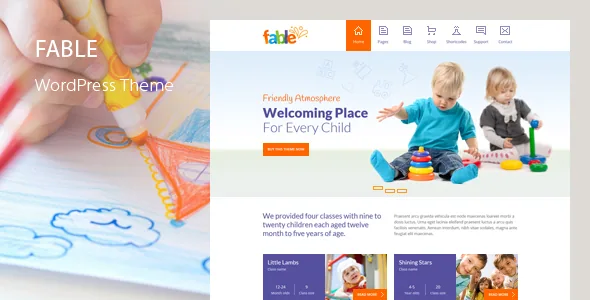
The weekly schedule is the content model, not an afterthought
Most education themes are judged on their homepage. Fable's vendor description spends its early feature sections on the parts of a childcare site that get edited every week. QuanticaLabs says the package includes Timetable Booking Schedule for WordPress, a bundled plugin it values at $49, and describes its use for weekly activity schedules, meal menus, event tables, lesson plans and courses.
That matters because these are repeating, structured records. A timetable is not a paragraph you rewrite each Monday; it is a grid of days, times and activities. Choosing a theme with a timetable component built into the workflow means the schedule lives in a tool rather than in a page of hand-typed text you have to re-align whenever a session moves.
The same logic runs through the template list. Among the page templates the vendor names are Our Classes, Single Class, Meal Menu, Our Staff, Single Staff Member and Pricing Plans in two styles. Those are the four things a nursery or preschool is asked about most: what happens in the week, what the children eat, who teaches them, and what it costs.
Five home styles, one of them scrolling
The vendor lists Home Style 1 through 4 plus Home Scrolling One Page. Four conventional homepages differ mainly in how they present photography, services and the class list; the fifth collapses the site into a single scrolling page with anchor navigation.
A one-page layout is a reasonable fit for a small play school whose entire proposition fits on one long screen: an introduction, the classes, a sample menu, the team and a contact form. Larger settings with a blog and multiple class pages will want one of the standard homes, because the one-page format works against deep internal navigation.
The feature list also names a sticky menu and a mega menu, which matter more than usual on a children's site — parents arrive looking for a specific thing such as fees, hours or a term calendar, and a wide dropdown keeps those within one click.
What the demo import actually brings across
The Theme Demo Data Installer sits under the Appearance menu in the admin area, and the vendor says it imports the demo set in a single click without handling XML files. The specific contents named are 5 predefined home pages, 20+ predefined pages, posts and widgets, a predefined Revolution Slider with premium assets, predefined Timetable schedules, and all theme and widget settings.
That is more than fills placeholders — the Timetable schedules arriving pre-populated is the detail worth noting, since it means you can see a working schedule before entering your own term.
One figure to hold loosely: the vendor's description mentions 47 ready-to-use page templates, and the categories behind that number include blog and post formats, gallery variants, search, category, archive and tag templates, sitemap, maintenance mode and 404. A gallery with four column options and a tabbed version counts toward the total just as a class page does. Read 47 as breadth across template types, not as 47 distinct page designs you would actually publish.
Two editing paths: the theme's own builder or shortcodes
Fable does not hand layout work to Elementor or WPBakery. QuanticaLabs describes a drag-and-drop page builder built specifically for the theme, and behind it a shortcode generator with the same 35+ content elements for anyone who prefers the standard WordPress editor.
The builder works at section level. You reorder page sections, set each one as full-width, wide or boxed, and give each its own background colour, image or video, including a parallax effect. The vendor counts 8 layouts, plus content-element animations and a custom form builder. Element styling options are described per component, so a tabs or accordion block carries its own settings rather than inheriting a fixed look.
Having the shortcode route is a useful hedge. Shortcodes survive when a page builder's own interface changes, and they let a second editor write content without learning the drag-and-drop canvas. The trade-off is that shortcode text is opaque in the editor, so the two paths suit different people rather than being interchangeable for everyone.
Colour and type controls that aim at zero code
The Theme Styles Panel is the vendor's most ambitious claim: the ability to set the colour of any theme element, hover states and footer components included, without writing any code. For a children's theme, whose palette is often the whole point of the look, that is a practical promise — you can recolour rather than swap themes.
Theme Options handles the rest of the global settings: default sidebars, headers and menus, blog and post display rules, sticky and animated menu behaviour, footer, logo and favicon, a go-to-top control, and a responsive-mode toggle. The font configurator sets family, size, style, weight and line height for base text and headings across screen sizes, drawing on 800+ Google Fonts.
Custom CSS and JS fields are present when the panels run out of range, and the builder accepts a CSS class per element, which is the normal route for styling one section differently from its neighbours. Treat the panels as the fast path and the code fields as the escape hatch — the vendor's claim is about avoiding CSS for colour work, not about eliminating CSS entirely.
Declared compatibility and the bundle figures
The marketplace attributes recorded on 4 November 2026 list WordPress 4.9.x through 7.1.x, WooCommerce 5.x.x through 10.x.x, and WPML under Compatible With, with 4.6 as the latest marketplace version. These are declarations carried by the listing, not results of testing against each combination, and the shipped archive is a separate question from the latest version number.
WooCommerce support means a shop template is among the page templates and you can sell items — uniforms, fundraising goods, event tickets — inside the same site. WPML compatibility plus the stated Mo/Po translation files point to a multilingual setup as an intended use, again as a vendor statement.
The bundled plugin values are the vendor's own figures: Slider Revolution at $109, Timetable Booking Schedule at $49, premium images at $27. Package contents are listed as PHP, CSS and JS files, and the vendor separately offers layered PSD source files on request. Whether the bundled plugins arrive as usable full versions in a given copy is something to confirm against what you actually receive, not from the value figures.
The deciding question: is your site a calendar or a brochure?
If the centre of your site is a weekly rhythm — sessions, snacks, term dates, a team roster that changes — Fable is built around exactly those records, and the bundled timetable plus Meal Menu, Our Classes and Staff templates save you from faking them in page copy.
If your site is mostly a brochure with a contact form and a few photos, the timetable machinery is weight you will not use, and the simpler of the five homes is all you need. The theme will still work; the schedule features simply sit idle.
Whichever way that falls, look at the live demo before deciding on layout, since the five home styles and the scrolling option are described in text but only visible in use. The vendor's demo URL is listed at quanticalabs.com/wp_themes3/fable/.
Questions & answers
Does Fable use Elementor or Gutenberg blocks for page building?
Neither, according to the vendor. Fable ships a drag-and-drop page builder created for the theme, working at section level with 8 layouts and full-width, wide or boxed section types. There is also a shortcode generator with the same 35+ content elements for the standard WordPress editor. No third-party page builder is named as the editing route.
Can I publish a meal menu as its own page?
Yes. Meal Menu is one of the page templates the vendor lists, and the description connects the bundled Timetable Booking Schedule plugin to weekly menus alongside activity schedules, event tables, lesson plans and courses. The demo import also brings predefined Timetable schedules with it.
Is RTL and multilingual support included?
RTL mode is listed as a supported mode, and the feature list names WPML compatibility with Mo/Po translation files. The marketplace attributes independently list WPML under Compatible With. What is not documented is how much of the layout needs manual adjustment after switching direction.