Layout is built in TATSU, but fonts and colours are set somewhere else
The vendor's description of Exponent draws a line that is easy to miss on a demo screenshot. Pages, headers and footers are assembled in TATSU, a front-end drag-and-drop builder with a live text editor. Typography and colour are not part of that builder in the same way. They sit in two named panels, TypeHub and ColorHub, which the vendor describes as the places you change fonts and colours across the site.
That split is the practical difference between Exponent and a theme where every page carries its own styling. Set a font scheme in TypeHub and it applies site-wide; change a palette in ColorHub and the colours follow. You then design individual pages in the builder on top of those foundations. It is a sensible arrangement for a business site with many pages that must look consistent, but it means two places to look when something renders in the wrong shade or size.
This is the vendor's described architecture. Nothing here has been run on an install, so treat the descriptions of how the panels behave as claims to verify against the live demo.
TypeHub, ColorHub and the global styling layer
TypeHub is described as offering Google and Adobe (Typekit) fonts, responsive controls so font values can differ by device, custom font uploads, and font schemes you save and reuse. One detail worth noting for European sites: the vendor says Google fonts can be downloaded to your server, which removes the external font request rather than only changing the CSS.
ColorHub works with palettes, saved swatches and gradients. Swatches solve the mundane problem of remembering hex codes across a long build; gradients are named as a design element the demos lean on, alongside shadows and shape dividers. Both panels are styling systems rather than page-level options, so their value grows with the number of pages you maintain.
What the free builder covers, and where Tatsu Pro starts
The TATSU features in the marketplace description belong to the free tier: 50+ styling modules, a header and footer builder, responsive controls, pre-built section concepts, undo and redo, CSS animations and global sections. Three of those matter more than the module count suggests.
Templating lets you save a section or a page as a template and reuse it. Global sections go further: edit the section once and every page using it follows. Cut, copy and paste are described as working within a page, across pages, and between separate websites, which is handy when you maintain more than one site on the same stack.
The vendor separately states that Tatsu Pro is purchased as an addon from Tatsu Builder and brings extra modules and extra pre-built demos, and that it can work with any theme. So the builder in Exponent is a free plugin extended by a paid product. Whether a specific module you want lives in the free or paid tier is a question the feature list does not answer per module.
How many demos does Exponent actually ship?
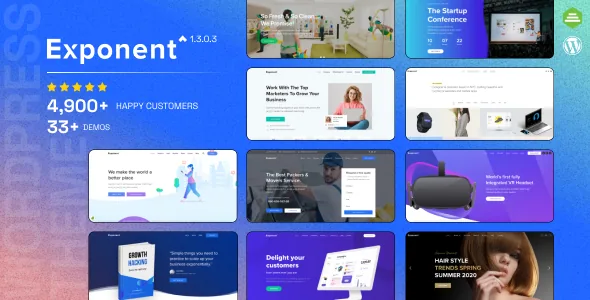
The vendor text gives three different numbers. The opening summary promises 33 premium pre-built demo websites. The feature list says 33+ modern demos with 200+ page layouts. The Premium Designs section says over 22 pre-built websites.
These may count different things — finished demo sites, page layouts, and layout blocks — but the description never says so. Rather than pick one, treat the demo catalogue as large but unverified in exact size, and judge it from the live site preview.
The importer itself is the more useful fact. The vendor describes a one-click demo import that allows importing multiple demos and mixing and matching pages. That supports a workflow where you take a homepage from one vertical and inner pages from another: the list of named verticals runs from corporate and finance to gym, law firm, restaurant, charity and event. Mixing demos brings the styling of both into one site, so check the palettes and font schemes line up before committing.
Shop and portfolio settings are concrete
Exponent's WooCommerce section is written as a set of choices rather than a promise of a store. Product grids run 2, 3, 4, 5 or 6 columns. The shop layout can be regular or a fixed side panel. Products can zoom, open in a lightbox, or show several images in a slider. Grouped, variable and external affiliate product types are named as supported.
Portfolios get the same treatment: grids of 2 to 5 columns with adjustable spacing, size and aspect ratio, six pre-built hover styles, and over a dozen project page samples. For an agency or studio these are the settings that determine whether a gallery actually fits its content.
Both sections describe theme-level layout controls around plugins — WooCommerce for commerce, and the theme's own templates for project pages. Neither is a substitute for the plugin's own configuration.
GDPR and translation depend on separate pieces
Two items in the feature list belong to companion code rather than the theme itself. The GDPR tooling is the vendor's own BE GDPR plugin, which supplies a cookie notice bar with a privacy policy link and consent checkboxes for embedded YouTube, Vimeo and Maps content. It is described as a plugin the theme comes with, not an options screen inside Exponent.
Multilingual work relies on WPML or Polylang, with PO files included for translation using Poedit or Loco Translate. WPML also appears in the marketplace's compatibility list, alongside Facebook, Easy Digital Downloads, Events Calendar and Gravity Forms. A listed integration means the vendor declares compatibility; it does not mean the plugin is bundled.
The marketplace file list for the theme names PHP, CSS and JS files — the theme package itself, with companion plugins obtained separately.
Declared compatibility, and what to check yourself
Marketplace attributes observed on 3 November 2026 record WordPress 6.2.x under software version, Gutenberg Optimized as Yes, responsive layout, widget-ready sidebars and high-resolution assets, with browsers listed from IE11 through current Chrome, Firefox, Safari and Edge. The marketplace's latest recorded release is 1.3.1.1. Exponent keeps a block-editor optimisation flag set to Yes, but the builder-led workflow is clearly what the theme is designed around.
The performance claims are the part to treat carefully. The vendor says scripts load on demand, images lazy-load, and CSS/JS files are three times smaller than competitors' — the last is a comparison with no figures attached and no method given. Caching and minification plugin compatibility is declared, again without naming which plugins.
None of the attributes above come from installing and testing the theme. For a site that will live for years, the decision is less about the demo count and more about whether you want fonts and colours governed centrally, pages built in a front-end builder, and an optional paid addon for extra builder modules.
Questions & answers
Do I need Tatsu Pro to use the page builder in Exponent?
No. The vendor describes the TATSU features in the marketplace listing — 50+ modules, header and footer builder, templating, global sections — as part of the free builder. Tatsu Pro is a separate paid addon sold from Tatsu Builder that adds extra modules and demos and is stated to work with any theme. The listing does not break down which module belongs to which tier.
Can I change a section on many pages at once?
The vendor lists global sections as a builder feature, which is the mechanism for reusing a section so that a single edit applies wherever it appears. Templating is the related but different tool: it saves a section or page for reuse as a starting point, without linking the copies.
Is the cookie consent bar part of the theme options?
The vendor attributes it to BE GDPR, a plugin supplied with the theme rather than a panel inside Exponent. It provides the cookie notice bar with a privacy policy link and consent checkboxes for YouTube, Vimeo and Maps embeds.
How many demo sites are included?
The vendor description gives three figures — 33 demos in the summary, 33+ in the feature list, and over 22 in the Premium Designs section — without explaining what each counts. Confirm the catalogue on the live demo rather than relying on a single number.