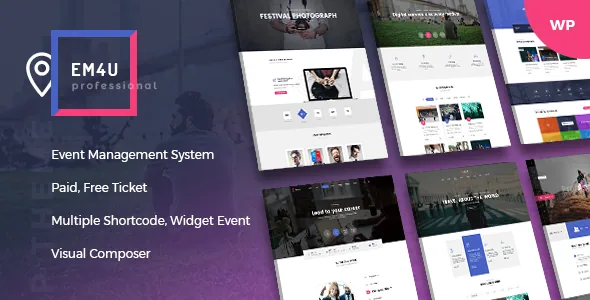
A ticket that carries the meeting link, not just a seat number
Most event themes treat a ticket as a price and a quantity. EM4U's marketplace description treats it as a record with content inside: private data such as a link and password for a platform like Zoom or Google Meet, delivered to the buyer in the purchase email. That single field is what lets one site sell an in-person conference seat and a webinar place without a second booking tool.
The ticket also holds a certificate file, PDF or image, set per ticket, and the generated ticket PDF can combine a QR code, barcode, the site's logo and that certificate. In the vendor's framing the ticket is the deliverable, and the theme's job is to render and send it.
That is the part to test against your own calendar. If you only sell attendance at a venue, the credential field sits unused. If part of your programme is online classes or webinars, it replaces the manual email you would otherwise send after every order.
Four ticket types, and where the money actually clears
The marketplace description lists four ticket types: Free, Paid, Woo and External. Paid runs through the theme's own checkout with PayPal, Stripe or offline payment; Woo hands the transaction to WooCommerce, which brings its own gateway list; External covers tickets settled somewhere else, so the site records the attendee without processing a payment.
Those are registration routes rather than four different checkout designs. The practical upshot is that a mixed programme can live in one site: a free meetup listing, a paid workshop through Stripe, and a gala dinner sold as a WooCommerce product using payment options you already maintain.
Inventory is tracked per ticket according to the description, and the 1.7.7 changelog entry "Add Manage Available Tickets in backend" suggests stock control was extended in the admin rather than only at the point of sale. The same release records fixes for coupons, ticket type, tax in Woo and the Woo Modern option: the ordinary friction of running two checkout systems side by side.
Schedule tabs, speakers and a two-level location tree
Scheduling is built as tabs, each with a label and date, and inside a tab a title, time, description and one or more speakers. Because a session can point at several speakers, a panel discussion needs no workaround. Speakers are their own post type with a bio and social profiles, and a speaker's detail page also lists the events they appear in.
Locations get similar structure: a hierarchical tree with two levels, described as Country–City or State–City, plus a venue post type for the place itself with working days, a map and contact details. Venues are unlimited and can show their own event list. Google Maps is integrated into the site, and the vendor says events can be sorted by location and venue.
The calendar side is less about drawing a month grid than filtering. The vendor lists future, upcoming, past, category and all-events views, with date and month formats adjustable for your region. For a programme spread across several cities, the location tree and venue lists decide whether the listing pages read sensibly.
After the sale: verification, re-issue and the attendee list
According to the description, QR codes shown through the website let staff verify and update a ticket's status, so check-in works against the order record instead of a printed list. A buyer can also re-download a ticket from the front-end manage booking section, and tickets can be re-sent when the original email never arrived, PDF and QR code included.
That pair of features is what saves admin time on the day: lost emails and re-sends are the commonest support request on a ticketed site, and self-service removes most of them.
For reporting, the vendor lists a CSV export of tickets and attendee information per event. Booking and enquiry forms take custom fields — text, phone, email, password, textarea, checkbox, select, radio and file uploads — with optional login required before event checkout, and ReCaptcha V2 or V3 available on login, registration and enquiry forms. Choose those fields deliberately; every extra required field is another reason to abandon an order.
Where your design ends and the events plugin begins
The event behaviour comes from Ovatheme's own events manager plugin rather than a third-party booking plugin, and the vendor states that the plugin's default templates can be overridden in a child theme. That is the maintenance boundary you live with: theme templates control how event pages look, while the plugin supplies the data, checkout and ticket logic.
Read the override claim as an extension point, not a promise that everything is swappable. Anything the plugin renders through its own shortcodes and elements is likely governed by the plugin, and a child-theme override stops helping if you later move ticket logic to a different system. If you need to hand booking to an existing platform, check that first.
Variation counts concentrated on event pages
The vendor numbers are 12+ home pages, 11 slideshow variations, 5 headers, 5 footers, 10 event list styles, 4 blog styles, 4 speaker list styles, 2 venue list styles and 3 contact templates. What stands out is where the counts sit: the largest single group is event listings, not blog layouts, which suits a site whose pages are mostly events, speakers and venues.
Headers, footers and layouts can also change per event, post or page, and each entry chooses a left sidebar, right sidebar or none, in wide or boxed width. On a multi-day conference, the schedule page and the ticket page need not share a container width.
Page building runs through WPBakery Page Builder, listed as bundled alongside a MegaMenu and cube portfolio plugin, with one-click demo import and a .pot file for translation. The listing marks the theme as not Gutenberg Optimized, which describes the vendor's positioning rather than proving the block editor is unavailable; posts written in blocks still inherit the theme's typography and widths.
A theme whose real version number is a set of plugins
The detail that matters for maintenance is that the ticketing features ship as separately versioned items. Release 1.9.3, dated 3 November 2026, updates the theme together with OvaTheme Events Manager 1.8.8, the PayPal Standards gateway 1.0.5, the Stripe gateway 1.1.7, Ova Advent 1.1.9, MegaMenu 1.2.4 and Login Register 1.2.0. Release 1.9.0 separately moved WPBakery to 9.0.1.
So a theme update is really a bundle update: the gateways and the events plugin have their own schedules, and several earlier releases list security fixes for the events manager specifically. Whoever applies updates should treat the set as one unit rather than assuming the theme version covers the plugin.
Declared compatibility is broad: the listing observed on 4 November 2026 names WordPress versions from 4.9.x through 7.1.x, WooCommerce 6.x through 10.x, Contact Form 7, WPML and WPBakery, with PHP 7.x and 8.x support stated in the description. Those are vendor claims, not results of testing on your host. The IE9–IE11 browser entries say more about the theme's history than about what a 2026 project needs.
Who the ticketing model suits
EM4U earns its place when a site actually issues tickets and has to get them into someone's hands: conferences with several session tracks, meetups mixing free and paid entry, training providers selling seats plus a certificate, organisers whose audiences join online and need a link and password they can find again.
The ticket anatomy is also the fit test. If your events need no credential, no certificate and no check-in, the QR and re-download machinery is capacity you carry without using, and a lighter events theme or a calendar plugin on a builder you already know means fewer moving parts.
Questions & answers
Can EM4U sell both virtual and in-person tickets from one site?
Yes, as described. A ticket record can hold a private link and password for a meeting platform, which the buyer receives in the purchase email, and the same events manager handles venue-based events with locations, venues and schedules. The credential fields are simply left empty for in-person tickets.
Do I need WooCommerce to take payments?
No. The vendor lists Paid tickets running through the theme's own checkout with PayPal, Stripe or offline payment. WooCommerce becomes relevant only for the Woo ticket type, where the transaction is handled by a WooCommerce product and its own gateway list.
What does the CSV export contain?
The description says attendees and ticket information can be exported per event as a CSV file, and a 1.7.7 changelog entry records updating the export of custom checkout fields in tickets. That means the information you collect in booking forms can travel with the ticket records you export.
Can event templates be changed without editing the plugin?
The vendor states that the events manager plugin's default templates can be overridden in a child theme. That covers template output; logic the plugin renders through its own shortcodes and elements remains with the plugin. Which templates exist to override is something to confirm in the vendor documentation.