Layout decisions live above the page builder
Most multipurpose themes let you compose pages and then set a header once. Essentials, from PixFort, treats the parts around the content as templates in their own right. The vendor describes a Theme Builder that handles headers, footers, popups, intros (page titles), posts, pages, archives and search, with flexible display conditions deciding where each layout applies.
That changes how you plan a site. Instead of building a page and accepting the header that comes with it, you decide which combinations of archive, search result or single post get which treatment, and set those conditions once. For a corporate or marketing site with several content types, this is the piece that determines how much per-page fixing you do later. The builder itself is not the distinguishing choice here; the conditional layer above it is.
Counts come from the vendor's own feature list: 40+ header templates, 40+ footer templates, 50+ popup templates and a divider builder with 27+ styles. Treat those as vendor figures rather than a verified inventory.
What a global design system actually does for you
PixFort describes a central design layer controlling colours, typography, spacing and buttons, with dynamic styles that propagate across pages and templates. Global typography, a colour system and a button design system are named individually, so the intent is that a change to a button style or text scale reaches the templates built on it rather than being re-applied by hand.
One related claim deserves care: the vendor says dynamic templates automatically apply theme options preferences when importing pixfort templates. That describes the import step. It is not a statement that editing an existing page will retroactively rewrite content you have already customised, so plan on checking a few finished pages after a global change rather than assuming the whole site follows.
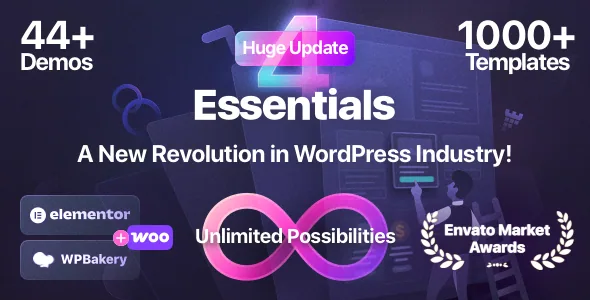
The practical value shows up during setup. With 44+ full demos and 1000+ templates in the vendor's catalogue, imported material arrives with styling already attached. A global layer means those pieces share one palette and type scale instead of each demo carrying its own.
WPBakery or Elementor: what the choice means here
Essentials supports both WPBakery Page Builder and Elementor. The vendor states that the theme uses the free version of Elementor and that all theme features and demos are available without Elementor Pro. If your team has already standardised on Elementor, that removes a recurring licence cost from the plan; if you have not chosen, the free-version statement means the Elementor path is not a reduced mode according to the vendor.
WPBakery is listed among the bundled plugins, along with Slider Revolution, Master Slider, pixfort Core, the demo importer and pixfort Likes. The vendor also claims dynamic tags in Elementor and, described as exclusive, dynamic tag content in WPBakery, which matters if you want template fields to pull values from page or post data.
The marketplace listing marks Gutenberg Optimized as No. That attribute describes optimisation for the block editor, not a switch that disables it. The documented authoring route is still WPBakery or Elementor, and the theme's demos and custom elements are built around those two.
Headers, footers and menus without extra plugins
The header and footer builders include their own premade libraries, and the vendor pairs them with a sticky mobile header option. For a multipurpose build, the useful part is being able to hold a different header arrangement for, say, a landing page and a shop archive, using the same display conditions described above.
The mega menu claim is specific in a way worth noting: the vendor says mega menu functionality is built into the native WordPress menu system, with no third-party plugin required. If you would rather not add another menu plugin to maintain, that is a real difference in the number of moving parts, though how the menus are configured in practice is something to confirm in the documentation.
The divider builder with 27+ named styles and dynamic dividers is a smaller but telling detail: section separators are treated as a reusable element rather than a one-off design flourish.
Popups planned as a layer, not a widget
The popup tools use the same builder pattern as headers and footers: a visual builder, premade templates, and display conditions with multiple triggers. Automatic and exit popups are both named, which points to two different jobs. An exit popup intercepts a leaving visitor; an automatic one fires on a rule you set. Because triggers and conditions are separate controls, you can scope a popup to one archive or one audience segment instead of showing it everywhere.
That is the point where a decision belongs to you rather than the theme. Each popup you add needs a stated purpose and a scope, otherwise the conditions multiply and the site starts interrupting people in places you did not intend. The vendor's count of 50+ premade popup templates is a head start on design, not on strategy.
Package facts and the caveats the vendor states
The vendor is explicit about two exclusions. First, source files for the mockups, illustrations and graphics used in the demos are not in the download because their licences do not permit redistribution; you would need your own licence to use that artwork. Second, WPML and Polylang are supported but not included, and each needs a separate licence from its own provider. So a translated site adds a plugin cost the theme does not cover.
RTL support is described as native, with typography and spacing adjusted for right-to-left layouts and Arabic named specifically. If your project includes an Arabic or Hebrew version, that is a stated capability rather than something you build from scratch, though the wording is the vendor's.
The marketplace file list names PHP, CSS, SCSS and JS files, so Sass sources ship with the package if you plan to work on the stylesheets directly. The vendor also states a single-use licence model: one licence covers one end product. Marketplace pricing observed on 3 November 2026 was $79 for a Regular Licence and $2,950 for an Extended Licence; check current terms on the item page rather than relying on those figures.
Where the conditional layout model earns its keep
Essentials makes most sense for a site with more than one content type and more than one intended audience: a corporate site with a shop, a blog and campaign landing pages; an agency site where each service archive gets its own page title treatment; a business that needs exit popups scoped to specific offers rather than site-wide.
If you only ever build flat one-page marketing sites, the display-condition machinery is more structure than you need, and a simpler theme would serve you. If you plan to hand a site to a non-developer for ongoing editing, the case is stronger: the design system and layout templates give that person rules to work within instead of a blank canvas.
Questions & answers
Do I need Elementor Pro to use the Elementor version of Essentials?
No, according to PixFort. The vendor states that the theme uses the free version of Elementor and that all theme features and demos are available without Elementor Pro. That is a vendor claim; the theme's own documentation is the place to confirm which features depend on what.
Are the demo images and illustrations included in the package?
No. The vendor says the source files for mockups, illustrations and graphics used in the demos are excluded because their licences do not allow redistribution. You would need to license that artwork yourself or replace it with your own.
Does a global design change update every page automatically?
The vendor describes dynamic styles propagating across pages and templates, and says dynamic templates apply theme options preferences when importing pixfort templates. The import behaviour is clearly stated; how far a later global change reaches into pages you have individually customised is not spelled out, so verify it on a staging copy.
Is WPML included with the theme?
It is supported but not bundled. WPML is a paid plugin and Polylang has free and paid versions; both require their own licence from their providers. RTL support, including Arabic, is built into the theme itself.