Courses, lessons and quizzes are theme content, not a plugin you choose
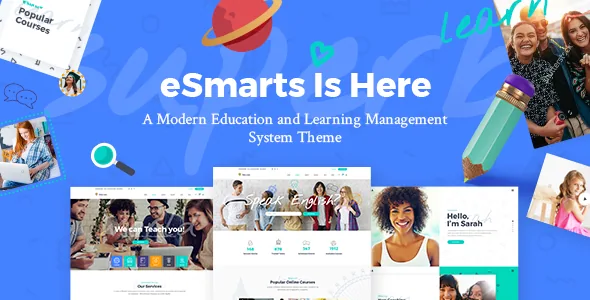
Many education themes are page designs plus a recommendation to install a third-party LMS. eSmarts takes the other route. The vendor's feature list describes a Learning Management System module built into the product and names four things you create with it: lessons, quizzes, complete courses and instructor profiles.
That changes the build order. Your course catalogue becomes a set of WordPress records the theme itself defines, so the questions worth asking before you buy are about the shape of those records — how a course relates to its lessons, how a quiz attaches, how an instructor profile links to courses — rather than about which page template to start from. The changelog shows the Elated LMS component being versioned and updated separately from the theme.
If you already run a standalone LMS plugin, this is the point to stop. Nothing in the supplied material suggests eSmarts adapts to an outside learning plugin; the course data model is the vendor's own.
What an editor assembles from the course shortcodes and widgets
The vendor lists eight course and instructor shortcodes: Course List, Course Slider, Course Features, Course Table, Advanced Course Search, Instructor, Instructor List and Instructor Slider. Read as a set, they cover the two jobs an education site repeats — showing many courses at once (list, slider, table) and showing the people who teach them (single profile, list, slider). Course Features handles the attribute block that sits on a course page, and Advanced Course Search is the filter route for a catalogue that outgrows a simple list.
Three widgets repeat part of that: Course Categories, Course Features and Course List. Widgets belong in defined widget areas, so they suit sidebars, headers and footers where you want course navigation persistent rather than placed page by page.
Shortcodes in this theme are inserted through the WPBakery Page Builder canvas, which the vendor bundles. In practice your course landing pages are built by placing these elements in WPBakery rows, while the course, lesson and quiz content lives in its own admin screens. Plan for two editing surfaces, not one.
Enrolment runs on accounts and a WooCommerce checkout
The vendor lists WooCommerce as compatible and also lists a user dashboard and social-network login. Together those suggest the likely flow: visitors create or sign into an account, browse courses, and pay through the shop layer WooCommerce provides.
A changelog entry is the most useful evidence for anyone selling courses. In version 2.1 (9 December 2025) the vendor records "Fixed course checkout for guest users" alongside "Improved checkout integration" and an update to the Elated WooCommerce Checkout Integration component. Guest checkout on a paid course is a consequential setting, and its appearance in the fix list suggests the purchase path has been the fragile part of the product rather than course display.
The login button in the header opens the dashboard, and the vendor publishes test credentials — username and password both "test" — so you can inspect it before buying. Walk through buying a course as a guest and as a registered user; that is the sequence the release notes show receiving attention.
Class schedules and discussion sit in two named plugins
The vendor describes compatibility with The Events Calendar for showing classes and events in a calendar layout, and lists an Events List shortcode plus an Events Calendar entry in the compatibility attributes. For a school, that covers the part of the site that is not course content: open days, term dates, workshops and one-off sessions.
bbPress appears in the compatibility list at versions 2.5.x and 2.6.x, matching the vendor's description of bulletin boards and discussion forums. A forum is a separate content model from courses, so decide early whether discussion belongs inside a course or in a general board — the supplied material describes a forum integration, not course-level commenting.
Both are third-party plugins, and the listing names them as compatible rather than bundled. Confirm they are current enough for your WordPress version.
The changelog is worth reading before the feature list
Elated's release notes run back to 2018 and are specific. Version 2.1 records an added WPML config file, WooCommerce 10.x compatibility, PHP 8.3 compatibility work, updated bundled plugins including WPBakery 8.7.2 and Slider Revolution 6.7.39, and the guest-checkout fix. Version 2.0 added a Disable Google Fonts option and PHP 8.2 support.
The removal entries matter just as much. Version 2.1 removed the Elated Instagram plugin because of Instagram API changes, and version 2.0 removed the Elated Twitter Feed plugin over Twitter's API changes. Both feed widgets still appear in the vendor's feature list, which is a reminder that a published feature list lags the archive. If social feeds are part of your plan, do not count on the theme delivering them; treat that as an outside plugin decision.
Nothing here tells you how the theme behaves under load or with your particular plugin set. The dated entries do show the vendor still touching platform compatibility, most recently in December 2025.
The declared environment and what the theme ships with
As observed on the marketplace listing on 5 November 2026, the software version attribute spans WordPress 6.3.x through 7.0.x, and compatible plugins include WPBakery Page Builder, WPML, The Events Calendar, bbPress 2.5.x and 2.6.x, and WooCommerce 9.x.x and 10.x.x. Widget Ready and Responsive are both marked Yes.
The vendor describes WPBakery Page Builder and Slider Revolution as included in the package, with retail values attached to both. Translation readiness is a listed feature, and the 2.1 addition of a WPML config file is concrete evidence of that work. The files attribute records PHP, CSS and JS files, and a child theme is listed among the features.
The vendor also states that images used in the demo are licensed for presentation only and cannot be reused on your site. Budget for stock photography or your own shoot before planning the catalogue, because course cards and instructor profiles lean heavily on imagery.
Questions & answers
Do I need WooCommerce to deliver courses with eSmarts?
The supplied material does not say the LMS depends on WooCommerce; it lists WooCommerce as compatible and points to a user dashboard and social login. Whether a free course can be delivered without the shop layer is something to confirm on the vendor's demo dashboard before you build around it.
Are quizzes graded automatically?
The vendor's feature list says you can create quizzes but does not describe grading, question types or pass marks. Treat automatic scoring as unconfirmed until you see it in the demo or the vendor's documentation.
Can the course layouts be built with the block editor?
The vendor describes course and instructor display through its own shortcodes and widgets, placed in the WPBakery Page Builder canvas shipped with the theme. The marketplace does not claim Gutenberg optimisation, so plan on WPBakery for course landing pages.