Why the LMS plugin is decided first
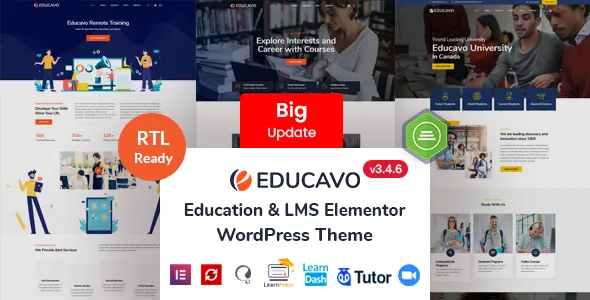
Educavo's vendor lists three course demos by name: LearnPress, LearnDash and Tutor LMS, with a WooCommerce demo alongside them. Those are presented as separate builds rather than one course layout adapted three ways.
The changelog backs that up at a smaller scale. Version 3.2.2 added a course details sidebar widget position "for LearnPress Demo" only, and the October 2026 release lists a general LMS compatibility fix. Course-page details were treated as demo-specific work, which suggests you should import the demo that matches the plugin you already run rather than assume course templates carry across.
If you have not picked a course plugin yet, that decision comes before layout browsing. Elementor handles the pages either way; the LMS decides which course pages you are starting from.
Course filtering lives in the RSElements plugin
The theme does not own its course display elements. Changelog entries in February 2026 fix the Filter Course Grid addon and the Course Category addon of RSElements, the vendor's companion elements plugin, and bundle-plugin updates appear throughout the release history.
Practically, the course grid and category blocks you place in Elementor come with that plugin, and its version moves with the theme's bundle rather than independently. If you later build custom course queries to get around an element's behaviour, you are outside the code path the vendor keeps fixing.
The element count in the description is not a usable number: the same feature bullet says "120+ Addon Elements" and then claims 200 plus. Judge the element set by what you see in the demo.
15 homepages, and the inner pages that carry the content
The vendor counts 15 prebuilt homepages and 85+ inner pages, with a further "more demo pages and features coming" line. The inner-page breakdown is the useful part: five blog and single-post layouts, two about-page layouts and four contact-page layouts, plus course and teacher pages.
Neither number should be read as a mixed pool of interchangeable layouts. Because demos are split by LMS, some inner pages belong to a particular demo build, so confirm the specific course or teacher page you need exists in the demo you plan to import.
On demo media the listing contradicts itself. The highlighted features say one-click demo import includes all images and icons, while a note further down says the demo images and icons are illustrative and not included in the final product. Plan on supplying your own photography.
Colour and header controls sit outside Elementor
Page content is built in Elementor, but the site-wide layer belongs to the theme options panel, which the vendor builds on the Redux Framework. Logo, favicon, header style, footer style and colour are set there, along with typography options added in a 2024 release.
Colour works on two levels: one global setting changes colour across the site, and each addon carries its own colour control so a single element can depart from the palette without a custom stylesheet. That is the practical difference between this and themes where brand colour is a single CSS variable.
Navigation has its own additions. The theme provides an off-canvas menu, and later releases added fourth-level menu support plus a sticky menu logo with a sticky logo height field. A deep course-category tree or a logo that swaps on scroll become settings rather than code.
The listing marks Gutenberg Optimized as No and names Underscores as the framework. That describes block-editor optimisation, not the removal of the block editor, so a team that writes in Gutenberg should test how the two editors behave together before committing.
Sliders, declared compatibility and the stated update agreement
Revolution Slider is bundled and appears in nearly every changelog entry as an updated plugin. The vendor describes it as a commercial slider for animated media slides. Like RSElements it ships as a companion, so its version is tied to the bundle rather than to your own plugin management.
Compatibility attributes observed on 4 November 2026 list Elementor and Elementor Pro, Contact Form 7, WPML, Bootstrap 4.x and WooCommerce 6.x through 10.x, within a software-version range from WordPress 4.9.x to 7.0.x. Those are declarations stored with the listing, not results from running the theme on a particular host, and an Elementor Pro declaration does not mean each demo depends on Pro widgets.
The vendor also states that updates are downloadable after purchase at no further cost. Separately, the files field lists PHP, CSS, Less and JavaScript, and the vendor describes a child theme as included, which matters if you plan to change templates rather than only style them through the options panel. Documentation is listed as well documented.
Questions & answers
Can I use one Educavo demo with a different LMS plugin?
The vendor ships LearnPress, LearnDash and Tutor LMS demos as separate builds, and course-layout work such as the LearnPress course details sidebar position was added to one demo rather than to a shared layout. Import the demo that matches the plugin you run.
Where do the course grid and category filters come from?
From RSElements, the vendor's companion elements plugin, not from the theme files. Its Filter Course Grid and Course Category addons have been fixed in theme releases, so keep it updated with the theme's bundle.
Do the demo images come with the theme?
The listing gives conflicting answers: the highlighted features say the one-click import includes images and icons, while a note lower down says demo images and icons are illustrative and not included. Assume you will need to supply and license your own.