Six course plugins, and a changelog that keeps returning to them
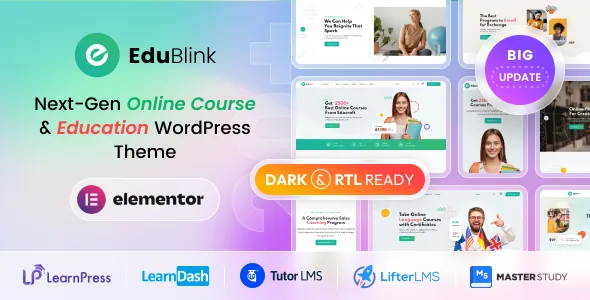
The vendor's description names LearnPress, LearnDash, Tutor LMS, Lifter LMS, Sensei and MasterStudy LMS as plugins EduBlink integrates with. That is an unusually long list for one theme, and it shapes what kind of product this is. The theme does not decide how courses are created, sold or completed; the plugin you install does. EduBlink's job is to present what that plugin outputs, and to keep doing so as each plugin ships new versions.
The changelog makes that upkeep visible rather than theoretical. Version 2.0.11 records compatibility work across LearnDash, MasterStudy, Tutor LMS, LearnPress and WooCommerce in one release. Version 2.0.15, dated 1 November 2026, fixes MasterStudy course card and profile page issues and confirms compatibility with the then-latest Tutor LMS and WooCommerce. Earlier entries are just as specific: a LearnDash course details page markup and CSS fix, a LearnPress instructor profile fix, a Tutor LMS subscription page CSS fix.
So the practical reason to choose EduBlink is that someone has already done the unglamorous matching between a course plugin's templates and a theme's styling. The reason to be careful is that this matching is ongoing work: your site depends on a three-way agreement between the theme, your chosen LMS plugin and WooCommerce, and that agreement is only as current as the last release you installed.
How a course catalogue takes shape
The vendor's feature list claims 15 distinct course layouts and 5 course detail page layouts. Read together, those numbers describe two separate decisions. The layouts in the first group govern how courses appear in listings and grids, so a catalogue can be varied without every card looking identical. The detail layouts govern what a visitor sees after clicking a course: the sales page where price, instructor, curriculum and enrolment sit.
A course filter option is also listed, which matters more on a school with a real catalogue than on a five-course site. Filtering is what lets a visitor narrow a long list to the subject or level they want instead of scrolling.
The vendor's own credits note is worth knowing here too: the Figma file for the theme is not included in the download package, and the vendor says to contact them if you need it.
Live classes, events and selling seats
The description states the theme is fully compatible with Zoom integration, aimed at live classes, webinars and virtual events. Treat that as a claim about integration rather than a built-in video service; the Zoom account and meeting behaviour sit outside the theme.
Event handling is claimed through two named plugins, WP Events Manager and The Events Calendar, and the description says events can be monetised through integrated payment methods. If your school runs open days, taster sessions or cohort start dates as scheduled events, that layer gives them a home separate from the course catalogue. The listed compatible software also names Events Calendar and Events Calendar Pro, which lines up with the feature list.
WooCommerce is the other commerce route. The description frames WooCommerce as a way to sell courses, merchandise or other niche products, so a site can run a shop alongside its LMS rather than instead of it.
Demo imports pitched at specific plugins
Version 1.0.9 added demo importing options for LearnDash, Tutor LMS and MasterStudy LMS. That detail is useful because it suggests demo content was prepared with particular course plugins in mind, not one generic import reused everywhere. Which import matches your setup is worth confirming against the vendor's documentation, since the changelog only names those three.
Later releases fill in the surrounding account experience. Version 2.0.0 added an Ajax login and register system in the header, plus redirect options for the shop page and for login and registration in the theme options. Version 1.0.13 added header button text that changes depending on whether a visitor is logged in. For a course site where students and instructors share a header, those small account controls are part of the everyday feel of the site.
This is also where the plugin-specific fixes earn their keep. Tutor LMS course meta information, MasterStudy instructor detail links and breadcrumbs, LearnPress instructor profiles — the changelog treats each plugin's own pages as things that need deliberate styling, not pages the theme can leave unfinished.
22 home pages, 70+ inner pages, and where you edit
The feature list claims 22 unique home pages, five upcoming home pages and more than 70 inner pages. Those are vendor counts describing the demo library, which makes them a measure of how many starting points exist rather than a promise that any demo maps onto your course plugin of choice. With six LMS options in play, the import that suits a LearnDash school is unlikely to be the one that suits a MasterStudy one.
The marketplace attributes observed on 4 November 2026 list Elementor and Elementor Pro among compatible software, mark Gutenberg Optimized as Yes, and name Underscores as the framework. The file list covers PHP, CSS, SCSS and JS. The Gutenberg attribute records a vendor position on block editor support; it does not describe how each demo was assembled.
Declared versions, browsers and what they cover
The same 4 November 2026 observation lists WordPress compatibility from 4.9.x through 7.1.x and WooCommerce 8.x.x, alongside browsers Chrome, Firefox, Safari, Opera, Edge and Internet Explorer 10 and 11, plus Contact Form 7. These are listing declarations, not the result of running the theme against your stack. Given how much of EduBlink's value lives in its LMS and WooCommerce styling, the version of those plugins on your server is the number that matters most, and the changelog entry for the release you install is the most specific statement of what the author worked against.
One boundary is stated by the vendor rather than the marketplace: the Figma design file is excluded from the package. Nothing in the description covers support duration or update entitlement beyond the feature list's mention of lifetime free updates and documentation marked as well documented.
Questions & answers
Do I need a specific LMS plugin for EduBlink to work?
The vendor names six: LearnPress, LearnDash, Tutor LMS, Lifter LMS, Sensei and MasterStudy LMS. Demo imports introduced in version 1.0.9 are documented for LearnDash, Tutor LMS and MasterStudy, so check the current documentation for how each plugin's demo is imported before you commit to a structure.
Does EduBlink include the Figma design file?
No. The vendor states the Figma file is not part of the download package and that you can contact them if you need it.
Can I sell courses and physical products on the same site?
The vendor describes WooCommerce integration for courses, merchandise and other products, and separately names WooCommerce 8.x.x in the marketplace attributes. Your LMS plugin usually governs course enrolment, so the split between the two depends on how you configure that plugin.