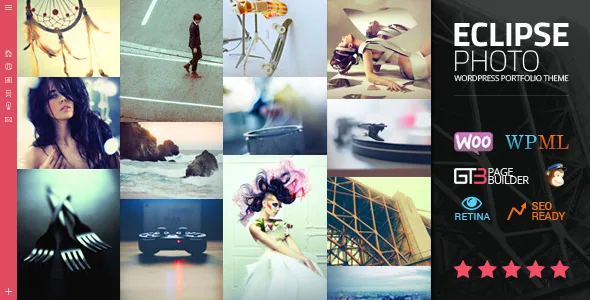
One photo set, several viewing modes
The vendor's feature list is unusually specific about presentation: Fullscreen Grid Portfolio, Fullscreen Masonry Portfolio, Fullscreen Kenburns Gallery, Masonry Portfolio, Kenburns Gallery, Fullscreen Grid/Masonry Photo Gallery and Fullscreen Grid/Masonry Video Gallery. Read that list as a menu of viewing surfaces rather than a single layout you dress up.
That matters for a photographer because the same 40 images behave differently depending on the mode. A grid asks the visitor to scan and choose; a fullscreen sequence imposes an order on them; a masonry wall lets mixed aspect ratios sit together without cropping the story out of a vertical frame. eClipse ships these as separate gallery and portfolio options, so the decision you make is which one carries your home page and which one carries individual album pages.
One caveat belongs here. All of these are vendor-described features. Nothing in the listing states how many of each mode a single site can run at once or how switching between them affects existing entries, so confirm the intended structure in the theme documentation before you build around it.
Masonry, Ken Burns and fullscreen: what each one is for
Masonry is the mode to reach for when your images are not the same shape. Landscape, portrait and square frames lock together into a wall, and nothing has to be cropped to a forced ratio. It suits documentary and editorial portfolios where the mix itself is part of the point.
A Ken Burns gallery is the opposite proposition: images presented with slow movement, which reads as deliberate pacing rather than browsing. The vendor lists it as a standalone gallery and as a fullscreen version. It is the mode for an opening statement or a short reel of your strongest frames — the images you want seen in sequence without the visitor deciding what comes next.
Fullscreen changes the relationship between image and interface. With the design described as fullscreen throughout, and with fullscreen image sliders and image or video backgrounds also on the list, the image gets the screen and the chrome recedes. Whether that reads as confident or as overwhelming depends on your work, but it is a genuine editorial choice rather than a styling toggle.
Client delivery: password-protected galleries and view counts
Password Protected Galleries is the entry that changes what kind of site you can run. A portfolio with a public front section and gated albums underneath gives you a working route for client proofs, wedding deliveries or embargoed shoots without a separate delivery platform.
The View/Likes Option sits beside it as a light engagement layer: visitors can register appreciation on images or albums, and the counts give you a rough sense of which work draws attention. The vendor does not describe whether the count is a single total or split by views and likes, or whether visitors can like more than once, so treat it as a simple signal rather than an analytics substitute.
Together these two features shift eClipse away from a pure showcase. If you shoot commercially, the password gate is likely to earn its place faster than the likes.
Page composition beyond the gallery
Three entries in the vendor's feature list are about page structure rather than images. A Striped Image Page with or without scroll is a composition where image bands alternate across the page, and the optional scroll setting decides whether those bands advance as the visitor moves down or hold in place. Vertically Aligned Pages controls where content sits in the viewport, which stops short pages from floating awkwardly at the top of a tall screen.
Content Page Alignment — left, centre or right — is listed as a theme setting. On an image-led site the alignment of a title block against a photograph is one of the few things that reads as designed rather than template-driven, so it is worth setting deliberately per page rather than leaving the default throughout.
There is also a Before/After Module, which is a comparison slider. The vendor does not describe it beyond naming it, so it is unclear whether it is built for image comparison or general content. Verify in the documentation before planning retouching or restoration pages that depend on it.
Skins, colour management and typography as one system
The listing names Dark & Light Skins and Easy Color Management as separate features. On a photography theme that split matters: the skin sets the overall light or dark frame around your images, while colour management is what you use to tint accents and interface elements to match rather than fight the photographs.
The vendor also points to an Advanced Theme Settings Panel and Google Font Support with 600+ fonts. Font choice on a portfolio is where restraint usually wins — but a large font library is a practical convenience if you are matching a photographer's existing identity and it does not let you import custom files.
Note the practical limit of a skin system: dark and light variants share one set of templates. If your images vary wildly in background brightness, set the skin per project need rather than assuming one default flatters everything.
Building pages in GT3 Page Builder
The theme credits the GT3 Page Builder plugin, described in the vendor text as drag-and-drop with modules and shortcodes, plus custom settings inside each module. In practice that means portfolio pages, galleries and album layouts are assembled from placed elements rather than edited as fixed templates.
The module-level settings are the part that matters more than the drag-and-drop itself. When the same gallery element appears on your home page and on a category page, being able to set its columns and behaviour individually is what lets those two pages serve different purposes.
The marketplace record marks Gutenberg Optimized as Yes, observed on 3 November 2026. That attribute speaks to block-editor readiness; it is not a statement that GT3 modules convert into native blocks, and the vendor describes the builder, not the block editor, as the assembly tool. The listing also names 4+ columns as a layout attribute.
What the package states, and what it leaves open
The ThemeForest file list names Layered PSD, PSD, PHP, CSS and JS files, and the vendor's feature list repeats PSD files as included. Layered PSDs are useful if a designer is producing matching assets for the site; they are not a substitute for the photography itself.
That is where the vendor's own warning lands: the theme does not include the images in the source zip file. Every image in your build is your own or separately licensed, which is the single largest practical line item for a photography site.
The compatibility attributes observed on 3 November 2026 list WordPress 6.5.x through 6.9.x, browsers Firefox, Safari, Chrome and Edge, and WPML as the only named plugin compatibility. The vendor's longer feature list also mentions WooCommerce, NextGen Gallery, Contact Form 7 and Mailchimp, and describes the theme as translation-ready with .po and .mo files. Those are vendor claims about integrations, not verified pairings — a listed integration does not make a plugin a required dependency for every demo, and the record leaves the exact supported plugin versions open. Widget Ready is marked Yes, and the vendor describes documentation as well documented.
Questions & answers
Does eClipse work without the GT3 Page Builder plugin?
The vendor describes the GT3 Page Builder plugin as the tool for building custom page layouts with drag-and-drop modules, so the described page-assembly workflow depends on it. The listing does not say what a page looks like if the plugin is deactivated, so plan on running it.
Can I sell prints or downloads with eClipse?
The vendor's feature list names WooCommerce as a supported integration, but the marketplace compatibility attributes name WPML only. There is no evidence in the listing about product types, digital delivery or print shipping configuration, so that route needs checking against current documentation before you commit to it.
Are the image galleries really restricted by password?
Password Protected Galleries appears in the vendor's feature list, which indicates per-gallery gating rather than a members-only site. The listing does not describe how passwords are issued or revoked, so treat the detail as documentation territory.


