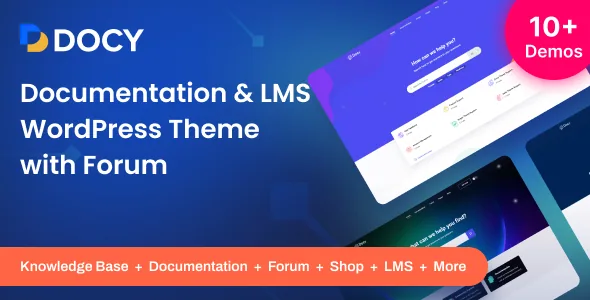
The controls a documentation reader actually touches
The vendor's own framing is unusually specific: Docy was designed for readers, "optimizing not for page views or engagement — but for reading." That claim is marketing, but the feature list behind it is concrete. Dark mode and font size have front-end switchers, so a visitor can adjust the page without leaving it. Documentation pages can be set to full-width or boxed width. An on-this-page table of contents sits inside the article, separate from the sidebar.
Where the doc layout changes structure, not just colour
Some of the listed tools alter the shape of a page rather than its styling, and those are worth thinking through before you commit content to them.
Headers can be sticky or non-sticky for documentation pages, which changes how much vertical space the article body gets. A sticky sidebar is listed alongside that, so the navigation column can stay in view as well. File tree navigation is a different way of presenting a docs hierarchy than a flat menu, and it suits multi-level product manuals better than a two-level sidebar.
Conditional content is the least self-explanatory item in the list. The vendor does not describe how conditions are set, so if your docs need version-specific or audience-specific sections, treat the exact mechanism as something to confirm rather than assume.
Authoring tools inside an article
The interactive elements in the list are aimed at explaining things: an image hotspot for pointing at a part of a screenshot, page preview tooltips, footnotes for references, a syntax highlighter for code blocks, and a property table for spec-style listings. Tabs, alerts, accordions, lightboxes, tooltips and carousels appear as well, which is the familiar shortcode-and-block kit of a documentation theme.
Article feedback and a directory indicator round out the reading experience. The vendor lists 40+ pages and a dynamic pre-loader, and states the markup follows w3.org standards with a Bootstrap responsive framework. Docy also declares compatibility with the Block Editor and Gutenberg Optimized is marked Yes, so the theme's own elements are expected to work alongside block-based authoring rather than replacing it.
Forum, LMS and shop around the docs
The headline claim is "Knowledgebase, Forum, and LMS in One package." Three parts, three dependencies. The support-centre side comes from bbPress, listed at 2.6.x and 2.5.x. Documentation content is described as running through EazyDocs, and the changelog is explicit about the coupling: a separate navbar colour field for single docs pages only appears in Theme Settings when EazyDocs is active, and a banner source selector lets you choose between the theme's banner behaviour and EazyDocs'. The learning side comes from Tutor LMS, named in the description alongside ACF Pro. WooCommerce (5.x through 8.x listed) covers a small store next to the support content.
One practical consequence: theme settings that depend on EazyDocs being installed exist in the admin but are not visible until it is. Plan the plugin stack before you tune the design, because some of the design controls appear only afterwards.
The declared platform, read precisely
As observed on the marketplace listing on 4 November 2026, the software version attribute spans WordPress 4.9.x through 6.8.x, with an "Other" entry as well. Compatible browsers are Firefox, Safari, Opera, Chrome and Edge. Elementor and Elementor Pro are both listed, as is WPML, and the vendor notes RTL readiness and a child theme in its summary.
Two of those attributes sit in tension and are worth reading carefully. The compatible-with list includes Bootstrap 5.x, while the vendor's own feature description still names Bootstrap 4 as the responsive framework. Both appear in the same record; treat the framework version as something to confirm against the current build rather than something this page can settle.
The theme is built on Underscores, WordPress's own starter theme, and the files included are recorded as PHP, CSS, Sass, SCSS and JS. Those are marketplace declarations, not results of testing this site carried out.
What the changelog shows about maintenance
Recent releases concentrate on the documentation experience rather than generic polish. Version 4.6.0 decoupled banner rendering from header logic for better page-builder compatibility and added control over whether the theme or EazyDocs supplies the banner. 4.6.2 fixed Docy injecting its own search-keywords template into the EazyDocs banner. 4.8.3 stopped single-letter searches from being counted as popular search terms, and corrected dark-mode and RTL issues in the search banner, sidebar and comment editor. 4.9.0 added a forgot-password link to sign-in forms and made author archive pages list EazyDocs documents alongside blog posts.
One removal matters if you are inheriting an older build: 4.9.0 dropped the Docy Video Playlist widget and the Videos custom post type, directing you to the Spider Elements Video Playlist widget instead. Sites that stored videos in that post type will not find it in the current version.
Questions & answers
Does the documentation content live inside the theme or in a plugin?
The vendor describes documentation as running through EazyDocs, with a bbPress forum for the support-centre side and Tutor LMS for learning content. Docy supplies the layout, reader controls and theme settings around them; it does not appear to be a standalone docs engine. Because some settings only appear when EazyDocs is active, the plugin stack determines part of the admin interface.
Do the dark-mode and font-size switchers keep working if I set custom colours?
The changelog for 4.6.2 added a notice in the Colour and Dark Mode settings explaining that dark-mode switching may not apply when colours are customised. That is the vendor's own caveat, so if the switcher is central to your site, keep the colour scheme close to the theme's defaults and test the two modes together.
Is Elementor required to build Docy pages?
No single builder is presented as mandatory in the listed evidence. Elementor and Elementor Pro appear in the compatible-with attributes, Gutenberg Optimized is marked Yes, and Block Editor is listed too. The vendor also refers generically to a drag-and-drop page builder without naming it as a dependency.