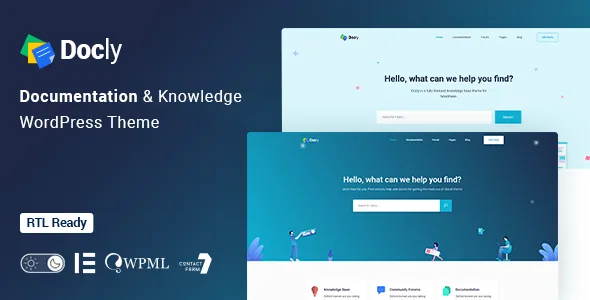
The helpdesk in the title moved to a plugin
The product name advertises a bbPress helpdesk forum. The vendor's changelog tells a later story: version 2.3.2, dated 29 January 2026, lists "Removed: bbPress integration fully removed from the theme and migrated to Forumax plugin." The same entry says forum-related files, scripts, sidebars and settings were taken out of the theme, and that forum widgets now live only in Forumax.
So if you plan a support forum alongside your docs, budget for a separate plugin install and check that its bundled widgets match the theme's header styling. The removal also explains the 2.3.2 note about a critical admin notice when Forumax is out of date. The compatibility attribute still lists bbPress 2.6.x and 2.5.x, which describes what Forumax works with rather than what the theme code contains.
That distinction is worth settling before anything else, because a documentation site with a helpdesk and a documentation site without one are different projects.
Built for reading, not for scrolling
The vendor describes Docly as designed "for the readers, optimizing not for page views or engagement — but for reading," and the feature list backs that line with controls you rarely see on a general business theme. A font-size switcher and a dark mode switcher sit on the page so a visitor reading a long API reference or setup manual can adjust the text without touching browser settings.
Around those sit the navigation aids: an article table of contents labelled "on this page," a sticky sidebar, and a directory indicator that shows where the current page sits in the docs structure. Footnote support lets you attach references at the bottom of a document instead of interrupting the sentence with a parenthetical.
Three of the listed features are less common and more interesting. Conditional content lets a doc display different blocks under different conditions, which is useful when the same instructions differ by plan or platform. Image hotspots point out a specific part of a screenshot. A page preview tooltip shows a summary before the reader commits to following a link. Whether each behaves the way you need is something to confirm against the live demo, since the description names them without detailing how they are configured.
Doc structure lives in EazyDocs, not the theme
Version 2.0.0 replaced the weDocs plugin with the vendor's own EazyDocs plugin, and moved the OnePage documentation creation system into it as well. Doc-related settings that used to sit in the theme options panel moved along with it.
The practical consequence is that your documentation hierarchy, one-page versus multipage layouts, and doc-specific settings are managed in a companion plugin. The theme supplies the presentation layer around that: full-width and boxed container options for doc pages, sticky or non-sticky headers, and a file tree navigation element for content that mirrors a folder structure.
If you maintain a single long reference page rather than a branching set of articles, the one-page path still exists. The changelog notes that the older method of creating a one-page doc kept working after the migration, so both routes appear available, though which one the current documentation recommends is a question for the vendor's guide.
What you write docs with
For code-heavy material, the theme lists a syntax highlighter, which is the feature that decides whether a documentation theme is usable at all for API or plugin references. The rest of the authoring elements are the ones documentation readers expect: tabs, alerts and message or note boxes, accordions, lightboxes, tooltips, a carousel and a property table for parameter lists.
Article feedback closes the loop — a reader can tell you a page was wrong or unhelpful, which matters more on a reference site than a comment thread does.
The marketplace marks the theme Gutenberg Optimized, and Elementor and Elementor Pro both appear in the compatibility attributes. That gives you two editing paths for surrounding marketing pages while the documentation itself runs through EazyDocs. The vendor framework is Underscores, and the package contents listed are PHP, CSS, SCSS and JS files.
Licence registration is part of the current workflow
The two most recent changelog entries are about registration, not design. Version 2.4.0 rebuilt the licence system around Envato purchase codes and Freemius licences with AJAX-based activation and feature gating, and added a Register/Verify page and Sign In/Sign Up field groups. Version 2.4.1, dated 17 August 2026, followed with fixes to the required plugin list, the registration notice, the Manage License page and the premium badge display.
Read that as a description of how the installed copy is registered and which features unlock — not as a statement about any particular copy you might obtain elsewhere. The changelog is also the place where the vendor documents its own maintenance: forum header styling, dark mode contrast fixes and WooCommerce template updates appear across recent releases. The marketplace shows version 2.4.1 as the latest; the version in the archive you end up with should be checked against it.
The WordPress software-version attribute runs from 4.9.x through 6.7.x. These are vendor and marketplace declarations observed on 5 November 2026, not results from running the theme on your server.
Where Docly stops being the right choice
Docly makes sense when the centre of the site is a body of reference material that people read in sessions: product manuals, framework or plugin docs, an internal wiki, a support centre. The reading controls and the EazyDocs structure are the reason to pick it, and they are only useful if you actually publish long documents.
It makes less sense if you mostly need a marketing site with a small FAQ page, because you would be paying for structure you rarely touch. And it is not the right pick if you want a forum that ships inside the theme files; that arrangement ended in 2.3.2, so treat the helpdesk as a separate plugin decision with its own setup and maintenance.
The one thing worth testing before you commit is the doc authoring flow end to end — create a multipage doc, add a syntax-highlighted code block and a conditional section, then check it in dark mode with the font size increased.
Questions & answers
Does Docly still include a bbPress forum in the theme?
No, according to the vendor's changelog. Version 2.3.2 removed bbPress integration from the theme and moved it to the separate Forumax plugin, along with the forum widgets and settings. You would install Forumax to get the helpdesk capability the product title describes.
Do I need a plugin to create the documentation itself?
Yes. Since version 2.0.0, the documentation structure and doc settings are handled by the vendor's EazyDocs plugin rather than the theme. The theme provides the doc page layouts, headers, sidebar and reading aids around that content.
Which WordPress versions does Docly list support for?
The marketplace attributes observed on 5 November 2026 list WordPress 4.9.x through 6.7.x. Those are vendor declarations rather than test results, so confirm the theme's behaviour on your own WordPress and PHP versions before launch.