The reputation loop is the product, not a bonus feature
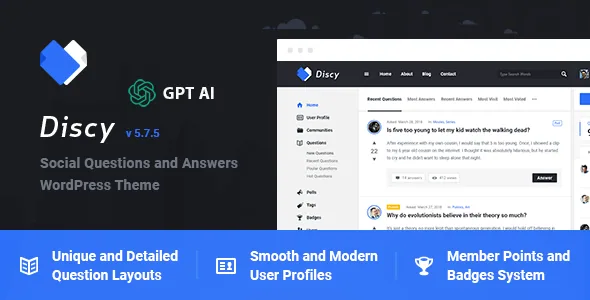
Plenty of themes add a forum page. Discy's own description reads like a list of community mechanics: a points and badges system, up and down voting, a best-answer picker, a questions and answers report system, question following, favourites, notifications, an activity log and private messaging. Put together, those are the parts that make a Q&A site self-managing. Voting pushes useful answers upward, the best-answer picker closes a thread, points and badges reward the people doing the answering, and reports give moderators a route to remove what does not belong.
That changes what you are evaluating. If you want a publishing site with a discussion area attached, most of this machinery is surplus. If you are building something closer to Stack Overflow or Quora in shape, the questions are whether the loop is complete enough to run without heavy custom development, and whether you can live with the interfaces Discy provides for it.
One more element belongs in this picture: the widget list includes WPQA – Profile Strength. A profile strength indicator only makes sense if users are expected to fill in their profile before contributing, which fits a community where reputation and identity carry weight.
Questions, polls, answers and groups as separate objects
The description treats several content types as things in their own right rather than post variations. It names a detailed question page, a poll page, an add question page and an add post page. Groups get their own template plus two dedicated widgets — WPQA – Groups and WPQA – Group Rules — which suggests group membership carries rules surfaced inside the interface rather than in a static policy page.
For planning purposes, that means a site built on Discy has a small number of distinct destinations rather than one generic template repeated: a question page with answers and voting, a poll, a group page, and a user profile with its points and badges. The vendor's live demo is the place to judge how those pages actually read with real content; the description names the structures but does not show you the density of each.
Two widget families tell you what each one does
The 28 custom widgets fall into two prefixes, and the split is a useful map of the theme. The twelve Discy – widgets are mostly presentation and promotion: About, Social counter, Social media, Facebook, Twitter, Subscribe, Video, and five fixed advertisement sizes (120×240, 120×600, 125×125, 234×60, 250×250).
The sixteen WPQA – widgets are community state: Activities log, Buttons, Comments, Groups, Important Notices, Login, Notifications, Posts, Profile Strength, Questions Categories, Related Questions, Group Rules, Signup, Stats, Tabs and Users. Several of these are effectively navigation into community data — Questions Categories and Related Questions on a question page, Users and Stats for browsing the membership, Login and Signup for the front door.
If you plan a sidebar layout, that division matters. Ad slots go on question and category pages where traffic concentrates, and community widgets go where they help someone move deeper into the site. The theme is widget ready, and sidebars are described as unlimited.
Twelve templates define the site map you are accepting
The vendor counts twelve page templates: Badges and points, Blog, Categories, Comments, Contact us, FAQs, Groups, Home, Landing, Questions, Tags, and Users. Two of those carry a switch worth noting — Categories covers either Questions or Posts, and Tags likewise; Comments covers either Comments or Answers.
That pairing is a neat summary of how Discy handles a community that also publishes. You can run a blog alongside the Q&A side, and the archive templates can be pointed at either content type instead of forcing everything into one taxonomy. The inclusion of a separate Landing template suggests a front page that sells the community, distinct from the Home template that serves returning members.
A Badges and points template is unusual enough to be worth flagging: it gives the reputation system a public page, which is where a new member learns what contributing earns them. FAQs exist as a template too, with a FAQs system listed among the features.
Contribution and moderation happen at the front end
Front-end post submission is listed as a feature, alongside the Add Question and Add Post pages. Combined with the Login, Signup and private messaging pieces, the intended flow is that a member never needs the WordPress dashboard: they register, ask, answer, vote and message from the public side of the site.
Moderation support is thinner in the description than the community features around it — a report system for questions and answers, Important Notices as a widget, and the activity log for seeing what has happened. The description does not explain moderator roles, queue handling or what a report triggers, so treat those as things to inspect in the demo rather than assume.
The activity log widget also hints at a transparency layer: recent actions surfaced publicly rather than held in an admin screen.
Ads are handled inside the theme
An Ads Manager appears in the feature list, and five of the twelve Discy – widgets are fixed-size ad slots. Two of those sizes, 120×600 and 234×60, are the odd dimensions that fit a sidebar column rather than a content block, which tells you where the theme expects advertising to sit.
The description does not say whether the Ads Manager schedules campaigns, rotates creatives or simply stores placements, and it does not name an ad network integration. If advertising revenue is part of your plan, the practical reading is that Discy provides space and a management screen, not a full ad server.
How much layout control you actually get
No page builder is named in the marketplace attributes for Discy, and the vendor's own layout language is about variants, not drag-and-drop assembly. The declared options are header styles (dark, light, coloured, simple), footer styles (dark, light), a call to action for logged-out visitors in dark, light or coloured form, two content widths (1170px and 1330px), three left-menu styles, and per-page settings covering background colour or image, custom colours, sidebar position (right, left or full width), element visibility and comments.
Gutenberg Optimized is recorded as Yes, so the block editor is the expected editing surface for standard content alongside the theme's own templates. Post formats cover Standard, Image, Gallery and Video, and the blog offers medium-image and big-image layouts.
Worth being precise about: the file list names PHP, CSS and JS, the theme is marked responsive and retina ready, and a 404 template is included. RTL support is claimed as full, and the vendor links a separate RTL demo, which is the honest way to judge it before committing to a right-to-left project.
Compatibility stated, and the parts left unstated
The attributes recorded on 4 November 2026 list WPML as the only declared plugin compatibility and WordPress versions from 4.9.x through 6.8.x. Browsers run from IE11 through Chrome, Firefox, Safari, Opera and Edge. The vendor's last recorded update is 7 January 2025, and the marketplace version is 5.7.4.
Those are vendor declarations, not a record of testing against your stack. If your site depends on a page builder, a membership plugin or a form plugin, none of those appear in the compatibility list — which does not prove they fail, only that the listing does not promise support. The declared WordPress ceiling of 6.8.x is the other fact to weigh against whatever version your host runs today.
Questions & answers
Does Discy work with Elementor or WPBakery?
Neither builder appears in the compatibility attributes recorded for this item, and the vendor's description does not name one. The layout controls it does document are theme options and per-page settings. Gutenberg Optimized is marked Yes, so the block editor is the declared editing route for standard content.
Can members submit questions without accessing wp-admin?
Front-end post submission is listed as a feature, alongside Add Question and Add Post pages and custom login and register pages. The vendor's description does not detail the submission form's fields or approval flow.
Is there a language translation path?
WPML is the only plugin listed under Compatible With, and the theme claims full RTL support with a separate RTL demo linked from the description. Those are vendor claims about the theme's language handling, not a statement that every string is translated.