Four AI tools, described by output
Crafto's vendor description puts artificial intelligence ahead of layout. Before the builder is mentioned, ThemeZaa lists four tools and what each one produces: AI Article Writer drafts a blog title, body and tags; AI Content Writer drafts product descriptions, page copy and marketing text; AI Image Creator generates images; and AI Assistant is a chatbot trained on your material to answer customer questions.
That split is the useful part. Blog drafting, product copy and support replies are reviewed by different people, in different tones, and with different accuracy risks. A generated paragraph about a fabric or a warranty claim needs a fact-check; a generated blog intro mostly needs an edit. Treating the four tools as one feature hides that work.
The description does not name the model or service behind any of them, so cost per draft and data-handling terms aren't answerable from the listing alone.
API keys and review are part of the plan
Two conditions come attached to the AI features in the vendor's own text. Some capabilities may require API keys from the respective service providers, and generated content should be reviewed before publishing.
Neither is surprising for AI tooling, but both affect the schedule. An API key usually means an account with a provider and usage-based billing, a recurring cost sitting outside the theme purchase. Review is labour you still have to staff, and Crafto does not change the fact that AI-drafted text about your products is only as accurate as the specification it was given.
The AI Content Writer is described as producing SEO-ready product descriptions, which ties the AI layer to a shop as much as to a blog. On a catalogue, that means someone still checks sizing, materials and claims before the page goes live.
The theme builder covers the repeating parts of a site
Crafto runs on Elementor, and the vendor's theme builder list is wider than page content: headers, footers, mega menus, popups, blog and archive layouts, portfolio pages, page titles and 404 pages are all described as designable.
Read that as a scope statement about the parts of a site that repeat. A category archive, a blog index and a 404 page normally inherit whatever the theme hands them; here each can carry its own layout. Popups built in the same system can hold a lead form or an announcement without a second plugin.
Global fonts and colours live in Elementor's global settings, so a brand change is an editing pass on saved values rather than a sweep through every section. The vendor also names reusable elements and saved sections, which is the mechanism for keeping repeated blocks consistent as the site grows.
The marketplace attributes mark Gutenberg Optimized as Yes. That describes compatibility; the widgets, templates and demos the vendor describes are Elementor content.
The performance panel is a list of named switches
Crafto's performance section names individual things rather than promising a score. The Bloat Remover, as the vendor describes it, switches off WordPress emojis, XML-RPC, WLW and RSD links, jQuery Migrate, Dashicons, self-pings, shortlinks, the WordPress version string and the Heartbeat API.
Around that sit critical CSS generation, resource preloading, DNS prefetch and preconnect for third-party domains, and JavaScript options to load async, defer or delay. Animations can be disabled site-wide, in the editor only, or on mobile and tablet.
Some of those are trade-offs rather than free wins. XML-RPC removal breaks tools that rely on it, and the Heartbeat API is what keeps a block-editor session aware of concurrent edits. Test one switch at a time rather than treating the panel as a dial you turn to maximum.
The vendor states a 95+ Google PageSpeed Score and optimisation for Core Web Vitals. Take that as a design target for the theme's own output, not a measurement of your site with your plugins, tracking scripts and hosting in place.
Library counts that disagree with each other
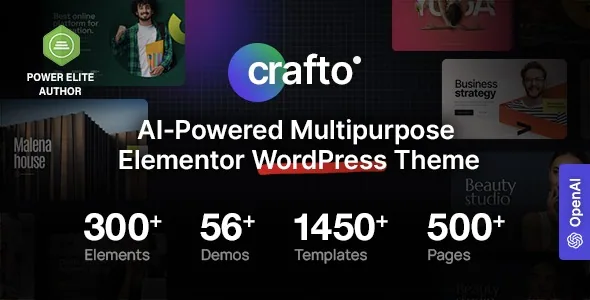
The description advertises 56+ pre-built websites, 500+ ready pages, 1,450+ templates and 100+ custom Elementor widgets. The marketplace metadata for the same theme says 52+ pre-built websites.
Both numbers trace back to the vendor, which tells you how tightly library figures are maintained rather than anything about the theme's quality. Choose Crafto for the type of library, not the exact count.
The 1,450+ templates are pre-styled blocks — hero sections, pricing tables, testimonials, team rows, calls to action — that you combine. The 500+ pages are assembled pages for services, about, careers, FAQs and contact. The two speed up different stages: blocks help you compose a bespoke page, while full pages decide the layout you start from.
Named industry coverage is broad: corporate and business, eCommerce, creative and portfolio, blog and magazine, technology and SaaS, plus restaurants, hotels, fitness, medical and marketing.
WooCommerce features the vendor names
The commerce side is more specific than "WooCommerce compatible". The vendor describes quick view, wishlist, AJAX filters and a mini cart, plus customisable shop and product page styles, and repeats the AI product-description link here.
Those four additions are the everyday browsing tools shoppers use before checkout, so their presence matters if you plan a catalogue rather than a single-product site. The AI-written description sits in the editorial workflow rather than the template: it fills a product field, and the theme displays whatever ends up there.
Slider Revolution is described as included in the package, and the description also mentions a setup wizard for demo import. What actually ships alongside the theme files is a question for the live package listing rather than the marketing copy.
Integrations and versions as declared
As recorded on the marketplace listing on 4 November 2026, the compatibility attributes list Elementor, Elementor Pro, WooCommerce 8.x, 9.x and 10.x, WPML, Contact Form 7, The Events Calendar and Bootstrap 5.x. The description adds Polylang, Loco Translate, Mailchimp, Yoast SEO, Rank Math, GiveWP, LearnPress and the W3 Total Cache, Autoptimize and LiteSpeed Cache plugins.
The declared software range is WordPress 6.8.x, 6.9.x and 7.0.x, with the marketplace latest version recorded as 2.2. The vendor also describes RTL support, GDPR-oriented privacy and cookie-consent tools, and translation readiness.
These are declarations, not test results against your own plugin set. If you run a WooCommerce store with a page-cache plugin and a multilingual setup, confirm the specific versions you depend on before committing a production build.
When the AI layer is the reason to choose it
Crafto makes most sense when writing is the bottleneck. A shop filling product descriptions across a long catalogue, an agency producing blog drafts for several clients, or a publisher whose output is limited by drafting speed are the cases where the AI tools change the calendar rather than the design.
If design is the bottleneck, the AI tools are a side feature and the decision comes down to the theme builder, the library and the performance switches — territory shared with other large Elementor themes, where template quality and settings detail separate them.
Three practical questions before committing: what the AI services cost to run beyond the theme, how much editing drafted copy needs to sound like you, and whether the declared WordPress and WooCommerce versions match your install.
Questions & answers
Do Crafto's AI features need paid accounts elsewhere?
The vendor states that some AI features may require API keys from their respective service providers. A key typically means an account and usage billing with that provider, so budget a recurring cost alongside the theme. The description does not name the providers or their rates.
Can Crafto's templates be designed outside Elementor?
The vendor's widgets, theme builder items and pre-built sites are Elementor content, and the description cites 100+ custom Elementor widgets. The marketplace marks Gutenberg Optimized as Yes, which concerns compatibility rather than replacing the Elementor workflow.
Does the performance panel guarantee fast page scores?
No. The vendor states a 95+ PageSpeed Score as a target for the theme, and the panel gives you switches such as critical CSS, JS deferral and the Bloat Remover. Your plugin load, third-party scripts and hosting still determine the score you measure.
Which figure should I trust for the number of pre-built sites?
The description says 56+ and the marketplace metadata says 52+. Both come from the vendor, so treat either as an approximate size and check the current demo inventory and package listing before you plan around a specific count.