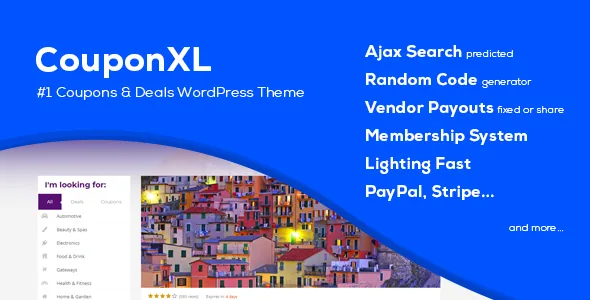
Pick the site mode before anything else
The vendor's feature list starts the operating decision plainly: you choose whether the site runs deals only, coupons only, or both. That choice is not cosmetic. In coupon-only mode the site's content types, navigation and submission form revolve around codes, printable vouchers and affiliate links. A deals site revolves around time-limited offers with a countdown, a purchase price and items sold. Combined mode carries both sets, which means a visitor browsing an archive sees two kinds of listing that behave differently: one may hand over a code, the other may run a clock.
Deciding this first saves rework later. If your inventory comes from affiliate networks, the coupon side carries most of the weight; if you negotiate direct discounts with local stores, the deal side with its map and countdown does.
The fee and payout model you configure
CouponXL charges for submissions rather than, or in addition to, taking a cut elsewhere. The vendor states that fees for coupons and deals can be set separately, and that each can be fixed or percentage-based, mixed, or zero. So a storefront could submit coupons free while paid deals cost a flat amount, or a percentage of the offer value.
On the other side of the ledger, the description says site owners can send a single payment to one customer or release all due payments at once. It also names two earning arrangements for merchants: sharing a buyer's purchased price with the site owner, or earning from direct discount sales. Read those together and the theme is describing a small accounts-payable workflow, not a page template. Before committing, sketch your fee structure on paper and check that the per-type settings can express it.
Membership is a switch, not a requirement
The vendor says registration can be turned off, which makes an affiliate-only build possible: you publish offers yourself and no visitor ever signs up. With membership on, visitors can register through social connections the listing names as Facebook, Google+ and Twitter, or through the theme's own login, register and lost-password pages.
Members get a front-end profile dashboard. According to the description it is where they track the deals or coupons they submitted or purchased, see vouchers they hold, edit their profile, submit changes to offers, and read click-through statistics. That dashboard is the main reason to consider the theme with memberships enabled. If your plan is a single editor publishing links, the member machinery is unused surface area.
Three coupon types and cloaked affiliate links
Coupons are not one thing in CouponXL. The listing names a print coupon, an affiliate link coupon and a code coupon, and says they can be combined with affiliate links. Practically, that covers three publishing habits: a voucher a customer prints and takes to a store, a button that sends the visitor to a partner and records the click, and a visible code a customer types at checkout.
For affiliate work, the vendor states that coupon links can be hidden and affiliate links cloaked so partners stay private. That matters when your commercial relationships are the asset: a visible partner URL lets a competitor copy your inventory, while a cloaked link keeps the destination on your side. Deals have their own split in the description: paid deals and affiliate deals.
What members see, and what you maintain
Per-offer click-through tracking is surfaced in the member dashboard, so a store submitting an offer can see views, clicks and CTR. Rating and comment features sit alongside it, letting visitors score coupons and discuss deals; the listing also mentions a popular-offers page template sorted by rating and sidebar filters for locations and categories.
For filling the catalogue, the vendor describes a custom XML importer that turns a prepared file into coupons and deals, and states support for third-party importers such as WP All Import. Those are two different commitments: one is the theme's own tool, the other is compatibility with a plugin you would install and configure yourself. Bulk imports are worth a trial on a small file first, since mapping fields between your source data and the theme's offer fields is where import projects usually stall.
The description also covers geolocation through latitude and longitude on stores, with a map on the home page or via shortcode, and SEO-friendly permalinks whose slugs can be translated.
Declared platform details and the editor question
The marketplace attributes recorded on 4 November 2026 list WordPress 6.1.x and 6.2.x, Bootstrap 4.x, a responsive layout at four or more columns, widget-ready sidebars, and documentation. Gutenberg Optimized is marked "No". That attribute describes tuning, not a block in the editor, but it does tell you where the effort went: CouponXL's content is shaped by its own coupons, deals, stores and categories rather than assembled in the block editor.
The ThemeForest package list names PHP, CSS and JavaScript files plus layered and flat PSDs, and the vendor's text mentions a premium PSD design included with the theme. Treat every item above as a vendor or marketplace declaration observed on that date, not as a test of how the theme behaves inside your own install.
Questions & answers
Can I run a coupon site without letting anyone register?
Yes, according to the vendor. The listing states that registration can be disabled, which allows an affiliate-only site where you publish offers yourself and no members sign up. The member dashboard, submission fees and payouts then go unused.
Can coupons and deals charge different submission fees?
The vendor says fees can be set separately for coupons and deals, and that each can be fixed, a percentage, or free. The exact combination you need should be checked against the theme's fee settings after setup, since the listing describes the capability rather than how the screens are arranged.
Do visitors see which affiliate partner a coupon points to?
Not if you use the cloak: the description says coupon links can be hidden and affiliate links cloaked so partners stay private. That keeps the destination URL on your site instead of exposing it in the coupon button.
Does CouponXL import existing coupon data?
The vendor describes a custom XML importer that adds coupons and deals from a prepared file, and states support for third-party importers including WP All Import. Import mapping is the part worth testing on a small batch before a full load.