A deal site where visitors do the posting
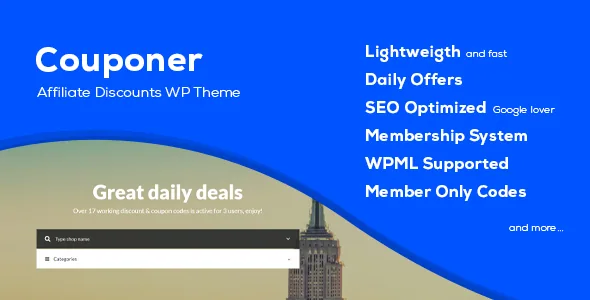
Most theme descriptions lead with layout. Couponer's seller leads with a workflow: a Full Membership System, front-end Submit Coupons & Discounts, and Members Only Coupons & Discounts, backed by page templates for Register & Login, Password Recovery and the submission form itself. According to the marketplace description, the site is designed so registered users add offers rather than the owner entering every deal by hand.
That changes what you are configuring. The login screen, the password-recovery page and the submit form are first-class pages here, not afterthoughts. Before committing, decide whether an open submission model suits you at all: a theme can supply the forms, but who may post, and what happens to a submission before it goes live, is your editorial policy. The listing's changelog shows the submit form was hardened over time, with a hidden captcha added to coupon submission in version 2.6.
The seller's demo includes a member account (user and password both "demo") for inspecting the profile page, so the logged-in view can be checked before you build.
Four content types, and what each one holds
Couponer registers custom post types for Shops, Coupons, FAQ and Daily Offers, per the feature list. Reading them as a structure rather than a list helps: a shop is the merchant a deal belongs to, a coupon is the code or offer attached to it, daily offers are a time-boxed layer, and FAQ entries are reusable explanatory content you can point readers to instead of repeating how a code works.
Affiliate and coupon sites live or die on how shops are browsed. The seller provides an All Shops page template and a Categories template, plus a Search by Category feature and an Ajax-based shop search — the search-as-you-type behaviour that keeps people on the page while they look for a brand. Data comes out of the marketplace description, not from an install test.
One practical implication: because shops are their own entries, a logo per merchant and a description per merchant have a home. The changelog records a fix in version 2.2 for the filters controlling a shop description on a single code page, which suggests the theme intends that merchant copy to appear alongside the coupon it is attached to.
Featured, popular, expiring, Top 20: the ranking controls
The feature list names specific listing modes: Featured, Popular by click, Date Added (sorted by date added or by expiring date), Top 20, and Expired Coupons, plus a page template called Expiring. Together these are the levers you use to decide what a visitor sees first.
Featured is a manual flag; Popular counts clicks; Top 20 means you hand-pick twenty coupons yourself. If you dislike automation deciding your front page, the Top 20 template is the alternative — a curated set you control. The Expiring and Expired views are the operational side: deals genuinely run out, and a coupon site that keeps showing dead codes loses trust quickly.
The changelog adds context here. Version 2.8 introduced a clear expired coupons button, and version 2.2 added controls for rates on codes and daily offers plus the ability for a user to change their own rating. Ratings management was updated again in v2.2 of the release history. Treat those as documented changes to the theme's own behaviour rather than as a promise of how your site will behave out of the box.
Widgets and templates that put the listings on a page
Couponer is marked widget-ready, and the seller lists a set of coupon-specific widgets: Coupon Text, Coupon FAQ, Coupon Social, Coupon Categories, Coupon Newsletter, Coupon Popular Shops, Coupon Search, Coupon Daily Offer and Coupon Daily Offers, alongside the default WordPress widgets. Paired with a Right Sidebar and a Full Width layout option, these give you a deal-site rail almost without design work: categories to browse, a search box, popular shops, and a daily offer slot.
The page templates cover more ground than a typical coupon theme: Home, All Shops, Categories, Code Search, Daily Offers, Expiring, FAQ, Contact Page, Top 20, Full Width, Right Sidebar, Password Recovery, Register & Login and Submit Coupon & Discounts. Not every one of these needs to be used, but the set shows the seller expects the site to be assembled from several distinct destinations rather than one long homepage.
The description also states unlimited colour options spanning typography, boxes and backgrounds. That is a claim about the options panel, not a design system — expect to make your own type and contrast decisions.
Newsletter capture and language support
A coupon site's most valuable asset is the list. The seller lists Mailchimp integration and a Coupon Newsletter widget, which is the combination that makes a signup form part of the layout rather than a third-party embed you style afterwards. For a site whose visitors arrive chasing one discount, that capture is often the only lasting return.
On translation, the only compatible item declared in the marketplace attributes is WPML, and the feature list repeats WPML Support. So a multi-language deal site is an anticipated use case. The changelog also references updated language files across several releases, including version 2.4, which mentions improved pagination and updated language files alongside fixes.
Two declarations deserve a plain reading. The marketplace attributes list WordPress 6.2.x and 6.1.x, and the vendor description says the theme is built on Bootstrap v3.1.1 — an older front-end base worth knowing if you plan substantial custom CSS. The Gutenberg Optimized attribute is set to No, which tells you the seller does not present the block editor as the theme's design surface; it says nothing about whether you can write posts in the block editor. Check how your own pages will be edited before you commit to a content plan.
What the listing does not settle
The marketplace records a Regular License price of $39 and an Extended License price of $2,950, observed on 4 November 2026, with a listed rating of 4.53 across 87 ratings and 1,689 sales. Those are marketplace figures at a point in time, not a statement about any particular copy circulating elsewhere.
The bundle is described as PHP, CSS and JS files, and the theme is marked Responsive, Retina Ready (listed as High Resolution) and Well Documented. The seller's closing note states that credits sit in the help file and that the images used in the theme preview are not included in the downloadable item — so plan on your own shop logos and deal imagery. That matters more here than usual, since merchant logos are part of the browsing experience.
Finally, an older codebase with a long feature list is a reason to test, not a reason to dismiss. The release history runs from version 2.0 in December 2014 through 3.3 in February 2018 in the description, while the marketplace records 3.5 as the latest version; the two do not have to match, and a version number alone says little about how the theme behaves on your host with your plugins. Install it on staging, submit a coupon as a member, let one expire, and confirm that the Expiring and Expired views report what you expect before you open the site.
Questions & answers
Can visitors submit their own coupons with Couponer?
Yes, according to the seller's feature list, which names a Full Membership System, front-end Submit Coupons & Discounts, and dedicated page templates for Register & Login, Password Recovery and the submission form. Profile pages are also listed, and the demo includes a member login for inspecting them. Moderation and approval rules are your own to define.
How does Couponer decide which deals appear first?
The theme lists several listing modes you choose between: Featured, Popular by click count, Date Added (ordered by date added or by expiry date), Top 20 hand-picked coupons, and Expired Coupons, plus a separate Expiring page template. Top 20 is the manual option if you want editorial control instead of click-based ordering.
Is Couponer compatible with WPML?
WPML is the only item in the marketplace compatibility attributes, and WPML Support appears in the feature list, so a translated deal site is an anticipated setup. No other plugin compatibilities are declared in the listing observed on 4 November 2026.
Do the demo images come with the theme?
No. The seller states that images used in the theme preview are not included in the downloadable item, and that credits are in the help file. Shop logos and coupon artwork need to come from you.