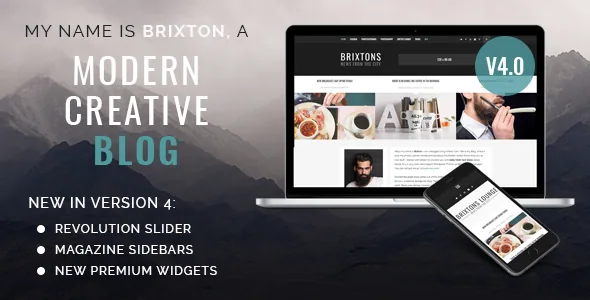
Sidebar regions, not a page canvas, define the homepage
Brixton's home page is arranged by choosing which theme-provided sidebar slot your extra content lives in. In the version 4 notes the vendor counts six new options: left, right and full-width sidebars under the header, plus left, right and full-width sidebars above the footer. Each one accepts one or more widgets.
That gives you two bands to work with, one before the post stream and one after it. Where a page-builder theme asks you to compose a landing page from blocks, Brixton asks a narrower question: which region should hold your extra content, and what goes in it. The blog loop stays where the theme puts it, which suits a site you intend to keep in a consistent reading order.
The vendor frames the visual side as a hipster-leaning minimal design and explicitly pitches the theme as skipping unnecessary slideshows and animations. Treat that as intent rather than a rule, because the same release adds slider and slideshow widgets you can switch on.
Designing around the post stream
Because the slots sit above and below the main column, the practical move is to bracket the posts with widget bands. A full-width sidebar under the header is the natural place for a horizontal block; the footer-adjacent slots suit material visitors reach after scanning the posts.
The more telling option is the demo the vendor labels "Only widgets (no blog)". With the main loop absent, the home page becomes purely a widget arrangement. In the magazine-style demo the vendor describes widgets positioned before and after the blog section, with a Revolution Slider widget available for an even more editorial feel. For a site with few posts but plenty of categories, series links or video, that is a real alternative to an archive front page.
The marketplace attributes declare the theme widget-ready, so these regions behave like ordinary WordPress widget areas.
The bundled widgets that fill those slots
The version 4 notes name the widgets added with that release, and they map onto the sidebar regions fairly directly. A post slideshow widget presents posts as a rotating set. A single-post widget features one chosen article in a sidebar. A video widget takes YouTube, Vimeo and self-hosted HTML video.
Social coverage is handled in the theme as well: Instagram, Facebook and Twitter widgets are named in the description, with an Instagram Feed also appearing in the feature list. Keeping that inside the theme removes a plugin dependency you would otherwise maintain.
One caution on the slider. The vendor presents Revolution Slider as part of version 4 and values it at an extra $19, but the marketplace file list records only PHP, CSS, JS and PSD. Check what your purchase actually includes before planning demos that depend on it.
Post formats and the media they use
The feature list names seven post templates covering standard, video, link, gallery, audio and quote formats, with the gallery post getting a redesigned slideshow in the version 3 notes.
Audio is handled through SoundCloud according to that same changelog, so audio posts depend on an external service rather than a file you host yourself. Video appears in two places: as a post template and as a widget that accepts self-hosted HTML video, so remote and local media each have a home.
For the design layer, the main colour is set in the theme options with a colour picker that the vendor describes as unlimited choice, Google Web Fonts are available for typography, and you can set a custom logo and favicon. High-resolution assets are declared in the marketplace attributes.
Full-width, boxed, and header elements that toggle off
Both a full-width and a boxed version exist, with the boxed skin added in a later update. The full-width version introduced an about section under the header, giving you a short introduction band before the posts start.
Several chrome elements are optional, and the vendor is specific in the version 3 notes: a search field in the top bar, social share icons in the sidebar, and a 728x90 ad slot in the header. A header background image arrived in version 4. Each can be turned off, which matters if you are selling ad space, want a search-free header, or would rather not put share buttons beside the reading column.
The repeated claim across both releases is that new features arrive toggled off so an existing design stays intact. On an established site, that is worth confirming on a staging copy before pushing updates live.
What the listing declares about files and versions
The marketplace file list for Brixton records PHP, CSS and JavaScript files plus a PSD. The vendor separately mentions sharing the theme's PSD blog template and the logo artwork through their website, so do not assume the layered design source ships inside the theme archive.
WPML appears in the compatible-with attributes, which concerns translated content and menus rather than layout. Gutenberg Optimized is marked "No"; that says something about block-editor tuning, not that the block editor is unusable, and Brixton's layout work happens through its own options and widgets either way.
The declared WordPress versions run from 5.5.x to 5.9.x, and the listing was last updated in February 2021 (observed November 2026). Those are listing declarations rather than installation tests. On a substantially newer WordPress release, treat editor and widget behaviour as something to confirm on your own setup.
Questions & answers
Can the home page have no post loop at all?
The vendor demonstrates a "Only widgets (no blog)" arrangement where the main blog part is absent and the page is built from widget-filled sidebar regions. How much control you get over removing the loop in your own install is a theme-options question the listing does not detail.
Do I need a page builder to change the layout?
No page builder appears in the listing as the layout mechanism. Changes come from theme options, sidebar region choices and widget placement, so your editing surface is the widgets screen plus the theme's settings panel.
How many post templates are there?
The feature list names seven post templates covering standard, video, link, gallery, audio and quote formats, with the gallery template receiving an improved slideshow in the version 3 notes.


