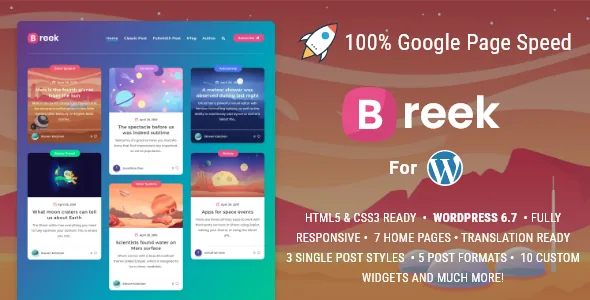
Advertising is built into the theme, not bolted on
Most minimal blog themes leave monetisation to an ad-management plugin or a widget you drop into a sidebar. Breek's vendor description gives advertising its own section of the feature list, with named placements: below the header, before post content, after post content, a custom ad unit you can position anywhere, and a slot between grid posts on the masonry home page.
Read those together and they cover the three positions an independent blog usually wants — above the fold, within the reading flow, and inside the index so a visitor browsing the grid meets one before opening an article. That last one is the placement a generic widget area rarely reaches, because the grid is generated by the theme rather than by a sidebar.
What the list does not say is how the slots behave with an ad network's own script or whether each is independently switchable. Treat the demo as the reference for that.
AMP in transitional mode, and how far the coverage reaches
The vendor lists AMP support in transitional mode, linking to an AMP home page and an AMP single post as examples. Transitional mode means the AMP build is additive: the standard pages remain available, and the accelerated version is served alongside them rather than replacing the whole site.
The changelog shows this coverage expanding over time rather than arriving all at once. Version 4.1.0, released August 2023, added AMP compatibility for search, archive, tag and author templates. Earlier entries record AMP validation fixes and a correction to pagination on AMP pages above page one when a custom homepage is in use.
That history is worth more than the single feature line. AMP output has to be valid to be useful, and a theme that has been patching validation issues since 2020 is at least a theme that treated the feature as live code. It is still a vendor claim, not a result you can assume for your own setup.
Three single-post layouts, and the sidebar as a choice
Breek lets a post open in more than one shape. The vendor names a fullwidth layout where the featured image acts as a cover for large images, a standard layout with the image inside the article, and fullwidth and classic variants without a sidebar. A separate no-sidebar style is listed for posts and pages, and the sticky sidebar is described as a feature in its own right.
That combination works as a per-article decision rather than a global skin. A photo-heavy post can lead with a cover image and stretch the full width; a text-led piece can keep the standard in-article image and use the sidebar; a long read can drop the sidebar entirely. The sticky sidebar matters most for the middle case, where the column stays in view as the reader scrolls.
The count in the feature list is loose — it says three dispositions while naming four entries — so confirm which layouts actually ship before planning a template around a specific one.
Lazy loading split into three switches
The vendor separates lazy loading into three parts: lists such as the home page, archives and categories; post content; and embedded iframes from YouTube, Vimeo or Soundcloud. Splitting them is more useful than a single on/off toggle, because each has a different cost.
Lazy-loading the masonry index changes how quickly the grid fills but also changes what a reader sees while scrolling, and if the layout is calculated on load, images arriving late can shift it. Lazy-loading embed iframes is nearly free in comparison: a post with several videos is heavy, and deferring them saves the request until someone scrolls to them. Lazy-loading post content sits between the two.
Version 4.2.0 added two more controls in the theme's optimization section: switches to disable emojis and defer scripts. The same release added a built-in table of contents for single posts — handy on long articles, and one less plugin to install.
Theme options, ACF Pro and the files in the package
Editing runs through a theme options panel rather than a page builder. Page-level composition is the point of a masonry blog's structure, so most of what you change lives in settings: layout choices, ad slots, lazy-load switches, header behaviour, colours and content width. The vendor also notes multiple Gutenberg block editor styles in the 4.2.0 changelog, so blocks are styled to match the front end, and the marketplace lists Block Editor and Contact Form 7 among compatible items with Gutenberg optimization marked yes.
The package list is PHP, CSS, SCSS and JS files. ACF Pro is bundled according to the vendor — useful for a site that wants custom fields for post metadata without buying a separate licence — and the styles are built with SCSS, pre-compiled with Prepros 7. Version 4.1.0 documents a path for loading PrismJS from a child theme, which tells you the theme expects child-theme work for some JavaScript additions.
Smaller pieces round out the blog: eleven custom widgets, a sticky sidebar, menu support with icons, Open Graph output, RTL styles and translation files for English, Turkish, French, Portuguese and Spanish.
Declared compatibility and the maintenance record
The marketplace attributes recorded on 4 November 2026 list WordPress 4.9.x through 7.0.x, plus Block Editor and Contact Form 7, and browsers from IE10 and IE11 through Firefox, Safari, Opera, Chrome and Edge. Those are declarations made at the time of the item update, not tests run against your PHP version, caching layer or plugin stack.
The changelog is the better signal. The vendor's latest recorded update is dated 4 February 2026, and the entries before it cover WordPress 6.9 compatibility, PHP 8 and 8.2.4 compatibility, reduced front-end libraries, asset handling on Bitnami and Amazon hosts, and PHP warnings when migrating from another EstudioPatagon theme. A theme carried through that many WordPress releases has a maintenance record you can read; whether your particular combination of plugins behaves is a separate question.
Questions & answers
Do I need a page builder to build a Breek site?
No page builder is listed for Breek. Configuration happens through the theme options panel and WordPress's own editor, with the vendor noting styled Gutenberg blocks. That suits a blog where the masonry index does the layout work, but it means hand-built landing pages depend on blocks and theme settings rather than a drag-and-drop canvas.
Does the advertising section replace an ad plugin?
It gives you placements the theme itself controls, including one between grid posts that a widget area cannot reach. It does not follow that it replaces an ad network's targeting, reporting or consent handling — the vendor description only covers where ad code can be placed.


