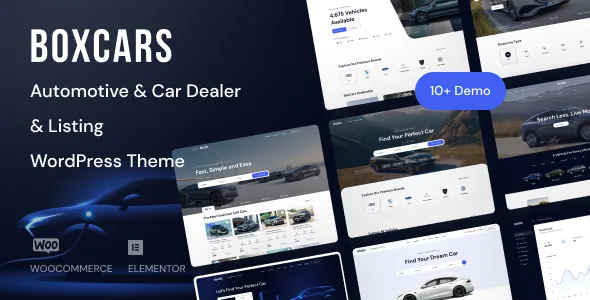
Sellers add the cars, not just you
The vendor's feature list includes "Add a listing in frontend" alongside a "User Dashboard page template". Read together, those two entries describe self-service inventory: someone registers on your site, posts a vehicle from a form on the front end, and later returns to a dashboard to manage what they posted.
That changes the shape of the project. An admin-only catalogue is a content job — you or a staff member enters cars in the WordPress back office. A front-end submission site is a product job: the submission form, the account that owns the listing, and the dashboard that lets the owner come back are all part of what you are launching, and the theme supplies them rather than leaving you to assemble them from a form plugin and a membership plugin.
The Fields Manager decides what a car listing contains
A car record is not a blog post. Price, mileage, year, transmission, fuel type, body style, engine and condition all need to exist as data if you want buyers to filter on them. Boxcar lists a "Fields Manager" as a feature, which the vendor presents as the way listing attributes are configured rather than hard-coded.
This is the setting that decides how much of a listing site you get out of the box. If your inventory is ordinary passenger cars, the defaults are likely close enough. If you deal in something narrower — commercial vehicles, classic cars with condition grades, motorcycles with engine displacement — the Fields Manager is where the record gets shaped, and it is worth judging whether it exposes the field types you need before you plan the rest of the site.
The changelog suggests the fields have been an active area rather than a launch feature left alone. Versions 1.1.10 and 1.1.11 record "Updated Listings Fields", and 1.1.22 adds "Updated listing field display". That is evidence of maintenance, not proof the manager handles any particular attribute type.
Four search shortcodes, three map providers
The vendor names four separate listing shortcodes: Listing List, Listing Search, Listing Advanced Search and Listing Simple Search. They are not four features so much as four placements for the same listing data — a full inventory grid on one page, a compact search box in a header or sidebar, a broader filter panel on the inventory page itself.
Treat the split as a layout decision. A simple search suits a homepage or a hero area where the buyer types a make and a price range. The advanced variant is the one that belongs on the results page, where someone has already committed to narrowing down. "Powerful sorting options for listings" is listed separately, so sorting sits alongside searching rather than inside it.
Maps are the other choice with a practical consequence. The vendor lists Google maps, Here maps and Mapbox maps, and changelog entries at 1.1.27 ("Updated Maps Location Field") show the location field has been revised. Each provider means an account, a key and a billing arrangement with a different company, so picking one is a decision you make early rather than a toggle you flip later.
Returning visitors: accounts, dealers and saved searches
Login is listed with Facebook, Google, Twitter and LinkedIn options alongside the ordinary form. That is consistent with the front-end submission model: if listings belong to accounts, lowering the signup friction matters.
The dealer is treated as an entity in its own right. Changelog entries at 1.1.0 ("Updated Dealer") and 1.1.12 ("Updated dealer profile", "Updated dealer listings") indicate dealer profiles and their listing collections have been worked on since the first release, which fits a site where stock comes from several businesses rather than one.
Saved searches are the least visible of these in the vendor's feature list, but the changelog records "Fixed save search" at 1.1.2, so stored searches exist as a capability. For a car site they are the mechanism that brings a buyer back when new stock matches what they wanted last week — but since the feature list itself does not detail them, how alerts and reuse behave is something to check against the documentation rather than assume.
A user notification feature is also listed, and pricing tables and comparison pricing tables are listed as shortcodes, which points at a dealer-subscription or paid-listing layer. The vendor does not state that the theme processes payments for listings on its own; WooCommerce compatibility is listed separately, so treat paid placement as a combination you would need to confirm.
What is declared, and what the changelog shows
The marketplace compatibility attributes, observed in November 2026, list Elementor and Elementor Pro, WooCommerce 6.x through 10.x, WPML and Bootstrap 5.x, across WordPress 6.2.x through 7.0.x. Gutenberg Optimized is marked Yes. These are vendor and marketplace declarations; nothing here is the result of running the theme on a server with your plugins.
The changelog tells a specific story about where maintenance effort goes. Between 2024 and 2026, most releases are WooCommerce refreshes — 1.1.6, 1.1.9, 1.1.13, 1.1.15, 1.1.16, 1.1.18, 1.1.20, 1.1.21, 1.1.23, 1.1.26, 1.1.28 through 1.1.30, and 1.1.32 through 1.1.38. Sparse entries such as 1.1.8 ("Fixed PHP error") and 1.1.25 ("Updated Security Issue") are recorded without detail.
The file list names PHP, HTML, CSS, Sass and JavaScript files. There is no layered design file among them, so visual changes happen in the theme options, in Elementor, or in CSS. Since the theme is built on Apus Framework and the marketplace files Elementor as a compatible plugin, styling work sits closer to the builder than to a design source file.
Where the listing model meets the build
Boxcar is filed in the marketplace under directory and listings, which matches what the feature list describes rather than the car-dealer framing alone. If your project is a vehicle marketplace, a dealership group with several sellers, or a classifieds section with user posts, the pieces line up: front-end submission, a dashboard, configurable fields, search shortcodes and dealer profiles.
If you only need a brochure site for one dealership with a handful of cars you will enter yourself, most of that machinery goes unused, and the interesting question becomes whether the design and page templates suit your brand.
The honest gap in the evidence is how these pieces behave together under real load and real plugins. The vendor describes the capabilities and the changelog shows the fields, dealer profiles, maps and saved searches have each been revisited, but none of that is a substitute for a staging install with your own inventory and your own map key.
Questions & answers
Do visitors need an account to publish a car?
The theme lists front-end listing submission alongside user login and a user dashboard page template, so the design assumes listings belong to accounts. Whether you can allow guest submissions or must approve listings before they appear is not stated in the supplied material; check the documentation for those switches.
Is WPML required to translate the site?
No. Translation readiness is a separate listed feature, and WPML appears in the compatibility list, meaning the theme declares it works with the plugin. You can run a single-language site.
Do the pricing table shortcodes mean the theme sells listings by itself?
Not on that evidence alone. Pricing tables and comparison pricing tables are listed as shortcodes, and WooCommerce compatibility is listed separately. The vendor does not state that listing payments are handled natively, so a paid-listing setup is something to verify rather than assume.
Which page builder does Boxcar use?
Elementor and Elementor Pro appear in the compatibility list, and the theme runs on Apus Framework. Gutenberg Optimized is marked Yes, which does not by itself rule out the block editor, but the builder the vendor names is Elementor.