Templates are the layout menu, not a canvas
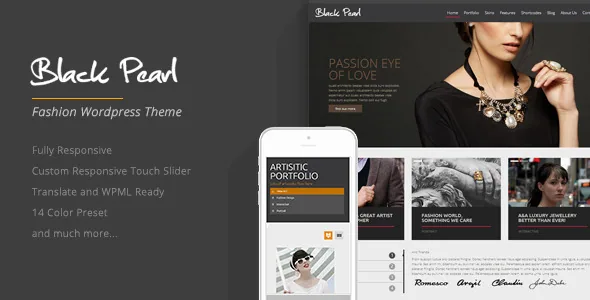
The distinctive thing about Black Pearl is where its layout choices live: in page templates, with switches attached to each one. The vendor changelog records that version 1.0.5 added an optional slider to page templates and a no-intro option to page templates, and version 1.3 added a second home template.
Read together, those entries describe a workflow: you pick a template for a page, then decide whether it opens with a slider and whether the intro block appears. That is a per-page decision rather than one site-wide setting, which suits a fashion or portfolio site where the landing page should open with motion and interior pages should start with content.
It also sets the boundary. The template list defines what the site can look like; there is no documented drag-and-drop surface for assembling arbitrary layouts.
How the portfolio splits into list and project
The portfolio changelog separates into two jobs. On the list side, version 1.0.5 added pagination and filtering options, which is what keeps a growing grid navigable — visitors narrow by category instead of scrolling through every project. Version 1.0.4 changed portfolio thumbnails so they only appear on the list page, pointing the detail view at the project itself rather than a repeated image.
On the project side, version 1.2 added a show/hide option for the prettyPhoto plugin on the portfolio page. That toggle is worth having: a lightbox helps image-led project pages and interferes with pages that are mostly text. Version 1.6, the last changelog entry, updated prettyPhoto to its then-current version.
A separate 1.1 entry added a team member single template, so staff pages get their own structure instead of an about-page block.
The homepage slider as one composed unit
Version 1.0.3 added Vimeo and YouTube playback to the home page slider, and 1.2 added navigation buttons to the same slider, which the changelog calls the "awesome slider". Together they let a campaign page open with a clip that visitors can move through with visible arrows.
Hosted video also means platform playback rather than file delivery from your own server. And touch handling was maintained rather than assumed: 1.0.1 fixed a vertical scrolling problem on touch devices, and 1.1 fixed a slider movement bug on iOS.
Text sits beside the visual. Version 1.0.3 added a recent posts section without media to the home template, giving a text-led article strip alongside the slider — and 1.1 fixed a WPML bug in that same area, which is where multilingual problems surfaced.
Setup pieces the vendor built in
Version 1.0.2 delivered two things that usually mean extra plugins: a demo import option inside the theme's admin panel, and an SMTP-based contact form script with its own settings. The SMTP route matters when a host's default mail function is unreliable, a common cause of forms that fail quietly. Version 1.0.4 then fixed a PHPMailer bug that blocked sending on some hosts, so this was a real failure the vendor had to address.
Version 1.0.5 made the contact page widgetized, meaning its contents are managed from the widgets screen — the concrete form of the listing's Widget Ready attribute. The same release added a default style for WordPress's built-in gallery shortcode, and 1.0.4 records a fix to character escaping in the theme's CSS override option, which points to a settings field for custom CSS rather than a child theme.
Four version statements that say different things
The changelog runs from the October 2012 initial release to version 1.6, dated 20 June 2015, and the marketplace latest-version field matches that 1.6. Two other fields do not line up with it: a vendor-updated date in November 2018, and a software-version attribute naming WordPress 6.5.x.
These are not the same kind of statement. The changelog records code changes. The 2018 date postdates every changelog entry without saying what changed. The WordPress 6.5.x field is a compatibility declaration in the listing, not a record of testing on that version or on current PHP and plugin combinations.
So the declared version is something to confirm on a staging install with your own plugins, especially if the site relies on features added to WordPress well after 2015. The compatible-browser list — IE8, IE9 and IE10 alongside Firefox, Safari, Opera and Chrome — reads the same way: it dates the theme's assumptions rather than describing current rendering.
What the package includes, and what it doesn't
The file list names Layered PSD, PHP files, CSS files and JavaScript files. The PSD is the item that changes a design workflow: a designer can adjust the source in Photoshop instead of dissecting stylesheets.
Two absences matter for planning. No page-builder plugin is listed as bundled or compatible, so the template list stays the layout menu. And Gutenberg Optimized is marked No, which grades how deeply the theme is built for the block editor rather than declaring the block editor unusable.
WPML appears in the compatible-with field, which fits the 1.1 fix to the homepage recent-posts area. That is a compatibility claim, not a finished multilingual setup.
Questions & answers
Does Black Pearl include a page builder?
The supplied listing names no bundled or compatible page builder. Layout control comes from page templates with their own slider and intro toggles, plus a second home template added in version 1.3.
Can the homepage slider play video?
The changelog records Vimeo and YouTube playback added to the home page slider in 1.0.3, with navigation buttons added in 1.2. Playback runs through those platforms rather than your own server.
How do portfolio filters and the lightbox work?
Version 1.0.5 added portfolio page pagination and filtering options, and version 1.2 added a show or hide setting for the prettyPhoto lightbox on the portfolio page.
Which WordPress version should I expect to work?
The listing declares WordPress 6.5.x, but the changelog's last entry is version 1.6 from June 2015. The declaration isn't a record of testing, so verify on staging with your own plugins before building on it.


