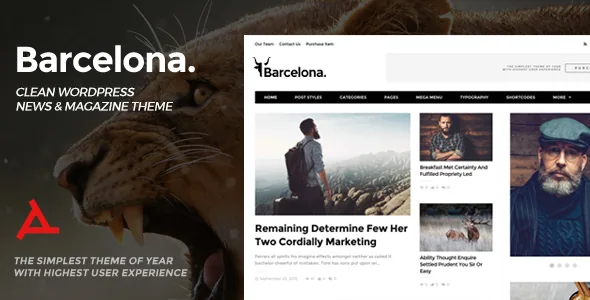
Eleven modules, six featured-post styles, one homepage template
Barcelona's page builder is not a bundled third-party plugin. The vendor describes it as the theme's own interface, where you combine 11 different page modules with 6 different featured posts styles. That is a combinatorial model: each module is a block of posts pulled from somewhere on the site, and the featured-post style decides how the lead items are dressed inside it.
The practical consequence is that two Barcelona sites can look quite different without either one touching code, because the homepage is a stack of modules rather than a single fixed layout. The marketplace description also lists 7 prepared home page examples and a one-click demo import, so you have starting arrangements to inspect before building your own stack.
One point worth keeping straight: the module count and the featured-post style count describe separate controls. Six featured styles applied across eleven module types does not mean sixty-six distinct modules.
Global Theme Options, with per-page escape hatches
Many magazine themes give you a settings panel and let the panel decide. Barcelona's changelog records something more granular: version 1.2.0 added an option to override global options for single posts, pages and categories.
Read that as an inheritance layer. You set the site-wide behaviour once in Theme Options, then a particular article, landing page or section can break from it. A dense opinion column and a photo-led feature do not have to share the same layout treatment just because they share a theme.
The same changelog entry names custom Google fonts, author names in post meta, an authors page template that accepts content, and category descriptions as part of that release. These are vendor changelog claims describing what the theme added; I have not run them on a live install.
How a reader moves through an index
The vendor lists four pagination modes for page builder modules: numeric pagination, next/previous buttons, a load more button and infinite scroll. This is a decision about reading behaviour, not styling. Numeric pagination tells a visitor how deep the archive goes and gives them a URL for page three. Infinite scroll hides that boundary and keeps attention on the feed.
There is also a switch to enable or disable duplication of posts within a page, which matters once a homepage stacks several modules drawing from overlapping categories. Turn duplication off and the second module keeps its position but skips anything already shown above.
For the article page itself, the vendor names five post styles: video, audio, gallery, post with background and paginated post. Featured images come in six styles, including standard, classic, screen width and screen width parallax. A parallax screen-width image at the top of a long feature changes how much of the first screen the headline surrenders.
Ad slots, mega menu and per-section backgrounds
The feature list includes a header ad area and an ad area inside post content, which is how many news operations actually place inventory rather than pasting banners into every template. The vendor's changelog for version 1.2.0 also mentions a missing advertisement option for pages being fixed, so ad placement is treated as a template concern across content types.
A mega menu handles the depth a magazine builds up once sections multiply, and the vendor notes mega menu posts can be sorted from Theme Options. Sidebars offer three states: left, right or none, which lets a single-column feature sit beside a two-column index without changing themes.
Backgrounds are settable for categories, posts, pages, search results and archive pages. On a publication with visually distinct verticals, that is a cheap way to signal section identity before a reader gets to the masthead of the page.
Editing without blocks, and what that asks of your team
The listing marks Gutenberg Optimized as No, and the description points instead to the theme's page builder and shortcodes. That attribute does not mean the block editor is switched off; it means the layouts, module controls and design options are organised around the theme's own authoring surface, not around block patterns.
So the workflow question comes before the design question. If your writers compose in the block editor out of habit, the homepage will still be a module stack edited in theme settings, and any block content inside an article sits within a template the theme controls. If your team already works from options panels and shortcodes, nothing here is unfamiliar.
The same listing attributes, recorded on 4 November 2026, name WPML and bbPress 2.5.x as compatible plugins, alongside Contact Form 7 support in the vendor feature list and WordPress versions spanning 6.6.x down to 4.9.x. Treat those as stored listing claims rather than the outcome of installing the theme yourself.
The version numbers to reconcile before you commit
The marketplace lists the latest version as 2.0, and the vendor's update history in the description ends at 1.5.2 with a bug-fix entry dated 29 October 2024. Those two figures do not match, and the changelog in the description does not account for the 2.0 release.
That gap matters if you intend to run Barcelona on a current WordPress install. The version attribute claims support through 6.6.x, but a supported version range is a compatibility claim by the seller, not evidence that each release was tested. Before you build an editorial calendar around this theme, confirm which version you would be installing and what changed in 2.0.
Barcelona has a long history, with a first release in November 2015 and a series of feature additions through 2016 and 2017. A theme that old can still be perfectly serviceable for a magazine layout; it just makes the changelog question more important than it would be for a theme released last quarter.
Questions & answers
Can I build a homepage without using the prepared demos?
Yes. The 7 prepared home pages are starting points, and the builder is presented as a set of 11 modules you combine yourself. You can start from a demo, from an empty page, or from a mix of both.
Does an option change on one category affect the rest of the site?
According to the vendor's changelog, single posts, pages and categories can override the global Theme Options. That is the point of the override layer: a local change should stay local rather than rewriting the site-wide setting.
What happens to posts already shown in an earlier module?
The vendor lists a setting to enable or disable duplication of posts across page builder modules. With duplication off, a later module skips items already displayed on the same page.


