The builder is the product, and Elementor is declared separately
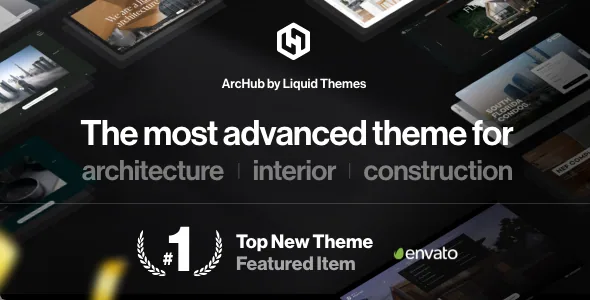
LiquidThemes describes ArcHub as an "all-in-one Architectural Site Builder" with its own intuitive visual editor, and the description reads as though the editing surface belongs to the theme: elements, sections, headers and menus are all handled inside it. Separately, the marketplace compatibility attribute lists Elementor and Elementor Pro.
Those two facts sit side by side without an explanation of how they relate. The listing does not say whether the demos are built in the theme's editor, in Elementor, or in a mix. If your team already works in Elementor and expects to keep doing so, settle that before choosing a demo to import, because the page you start from determines the tool you will be editing it in. Gutenberg Optimized is marked "No"; that is a statement about where the vendor invested design effort, not a claim that the block editor stops working.
What the vendor does promise is that pages are assembled visually with no coding, and that layouts are not capped at a fixed set. Treat "unlimited layouts" as a description of a flexible section-and-column system rather than a literal guarantee.
Motion and interaction are treated as first-class features
The eight items the vendor groups as exclusive are almost all about behaviour rather than arrangement: Adaptive Colors, Page Blocks, Mask Slider, Custom Cursor, Advanced Parallax, Sticky Rows/Cols, Animated Borders and Section Scroll.
For an architecture or interiors studio, that list maps onto the way project photography is usually presented. A mask slider lets images sit inside a shaped container instead of a rectangle. Parallax and section scroll change how a long, image-heavy page moves as someone reads it. Sticky rows and columns hold a caption, a floor plan or a set of project facts in place while the rest of the page continues. Animated borders suit thin, editorial framing around stills.
The pinning feature is where the vendor's language gets superlative: the description states ArcHub is "the only theme that uses the pinning method" to pin content and mix it with other content. That is a vendor claim made without a comparison, so weigh it as a description of the mechanic rather than a ranking. Custom cursor is the one item on the list that carries a usability question — a replaced pointer can look distinctive and still interfere with how visitors find links, so it belongs on the list of things to try on a real device before launch.
Section blocks are the reuse loop, not just a demo count
The headline numbers are 30+ pre-built websites, 200+ section templates and 40+ inner pages. The number that changes your working day is the middle one.
The vendor describes importing a pre-built section block with a single click, and also saving your own block for reuse on other pages. That second half is the part worth planning around: if you build a project-facts strip, a materials palette band or a credits block once, you can save it and drop it into every new project page instead of rebuilding it. For a studio that publishes a steady stream of completed work, that turns page assembly into assembly rather than design each time.
One-click installation works the same way, with the vendor noting that you pick both a demo and a data type before importing. The existence of a data-type choice implies partial imports are possible, which matters if you want a layout without another site's full content set. The listing does not detail what each data type includes.
Elements designed to hold arbitrary content
A few items in the feature list share a pattern: instead of shipping one styled slider or one styled menu, they let you put your own content inside a structure.
The advanced carousel is the clearest example. The vendor's instruction is to drop the carousel and add any element inside it, so a carousel can hold project cards, client logos or text panels rather than only images. The header builder offers pre-built headers or a custom layout, and the mega menu builder is described as having no layout limitations, with any element insertable. A modal popup element handles overlay content without a separate plugin.
Sliders get both a built-in slideshow element and a vendor claim that the premium Revolution Slider plugin is included with the theme for free. That bundle statement describes the marketplace package; it is not a claim about every copy of the theme you might obtain, so verify what is actually inside any package before relying on Revolution Slider for a design.
Dark mode, colour management and right-to-left
The vendor's dark and light layout switch is described as a single click, with font colours adjusted automatically so you are not hand-editing type colours page by page. Paired with the Adaptive Colors feature and a colour manager that stores saved colours for reuse and compares them against the live editor, this is a workable setup for a studio that wants one palette applied consistently and a dark variant available without a second design pass.
Language direction is handled explicitly: the vendor states RTL support is built in and that translation plugins including WPML, qTranslate, Loco and Polylang are supported. The compatibility attributes observed on 3 November 2026 include WPML, which corroborates that part of the description; the other plugins are named in the vendor text only.
Also in the description: a child theme for keeping customisations separate, a Mailchimp newsletter integration, social integration, GDPR compliance asserted by the vendor, and a support process that the vendor says uses AI-assisted suggestions to speed up responses.
What the compatibility listing settles
The attributes recorded on 3 November 2026 list Elementor and Elementor Pro, WooCommerce 5.x through 8.x, WPML and Bootstrap 4.x, with WordPress versions from 4.9.x through 7.0.x. Declared browsers are Chrome, Firefox, Safari, Edge and Opera, and the package files are typed as PHP, CSS and JS. Widget areas are marked ready and documentation as well documented.
These are listing declarations from the vendor, not the result of installing the theme on a test site. The one attribute worth a second look before committing to a shop is WooCommerce: the declared range stops at 8.x, while the WordPress range extends to 7.0.x. If you plan to sell prints, consultations or products alongside project pages, confirm the current WooCommerce release against the theme before build.
Bootstrap 4.x in the compatibility list is also a useful signal about the underlying grid — it tells you what kind of column classes and spacing conventions to expect when you need to touch markup directly.
Questions & answers
Do I need Elementor to build pages with ArcHub?
The vendor markets ArcHub around its own visual editor and page blocks, while the marketplace compatibility attribute separately lists Elementor and Elementor Pro. The listing does not state which demos use which editor, so confirm the editing surface for the demo you intend to import before committing to a build workflow.
Can I reuse a section I built across several project pages?
Yes, according to the vendor: the description says you can save your own custom block and re-use it on other pages, alongside one-click import of the 200+ pre-built section templates. The vendor does not describe whether saved blocks follow later edits made to them.
Does ArcHub include Revolution Slider?
The vendor states the premium Revolution Slider plugin comes with the theme at no extra cost, and separately notes a built-in slideshow element that needs no external slider. The bundle statement describes the marketplace package, so check what a given package contains rather than assuming the plugin ships with every copy.
Is the theme suitable for a shop as well as a portfolio?
WooCommerce compatibility is declared for versions 5.x through 8.x. That is a listing declaration rather than a tested result, and the ceiling is worth checking against your planned WooCommerce version before you build store pages on top of the project templates.